- Home
- ...
- Configuration
- Sensedia CLI Token
Generate or Revoke the Sensedia CLI Token
The Sensedia CLI Token is an access code used to authenticate the Sensedia CLI with the Sensedia API Platform.
It must be generated from the Sensedia API Platform graphical interface following the steps below.
Generating the token
On the API Manager screen, click on the button with your user information, located in the upper right corner:
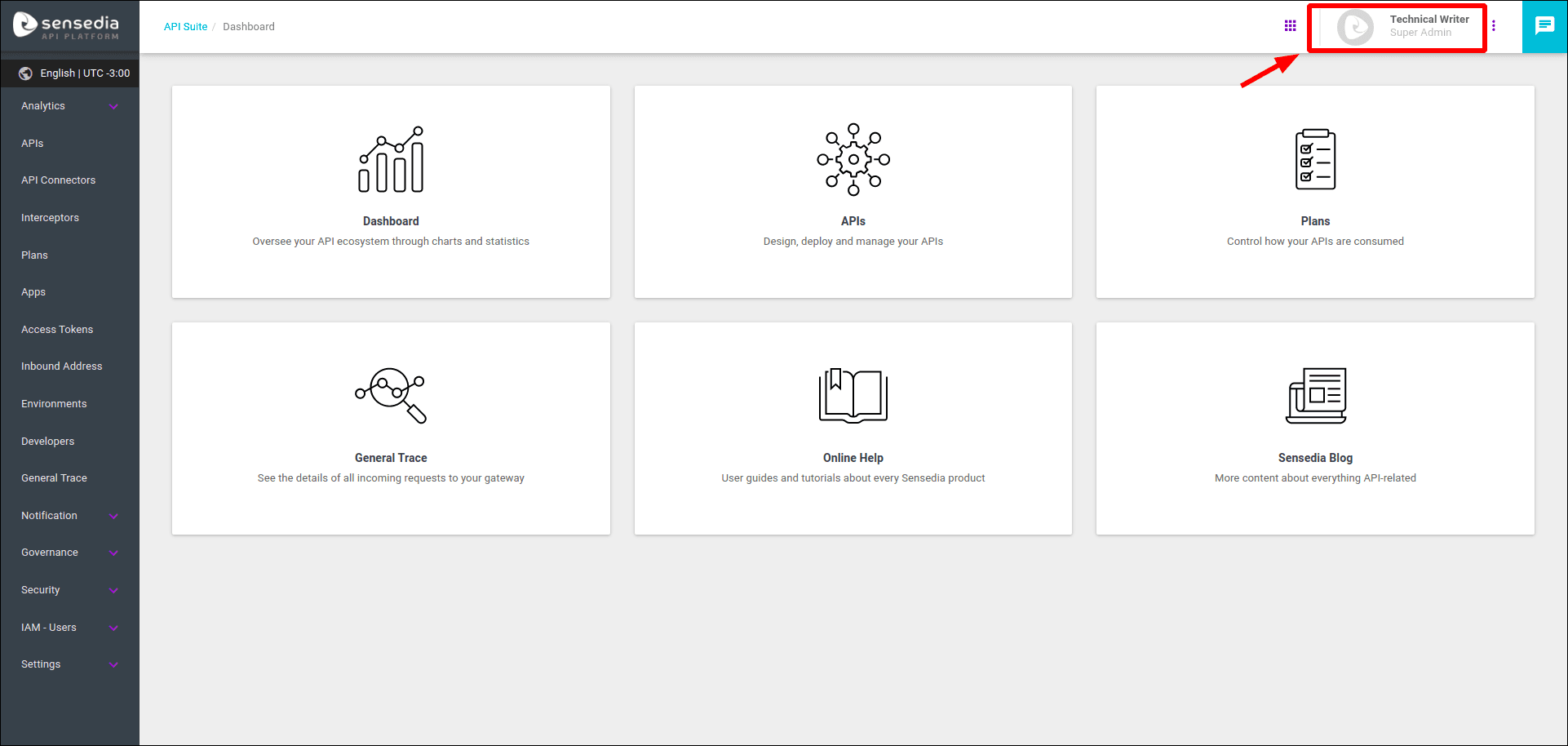
A modal window for editing the profile will open.
Click the CREATE CLI TOKEN button.
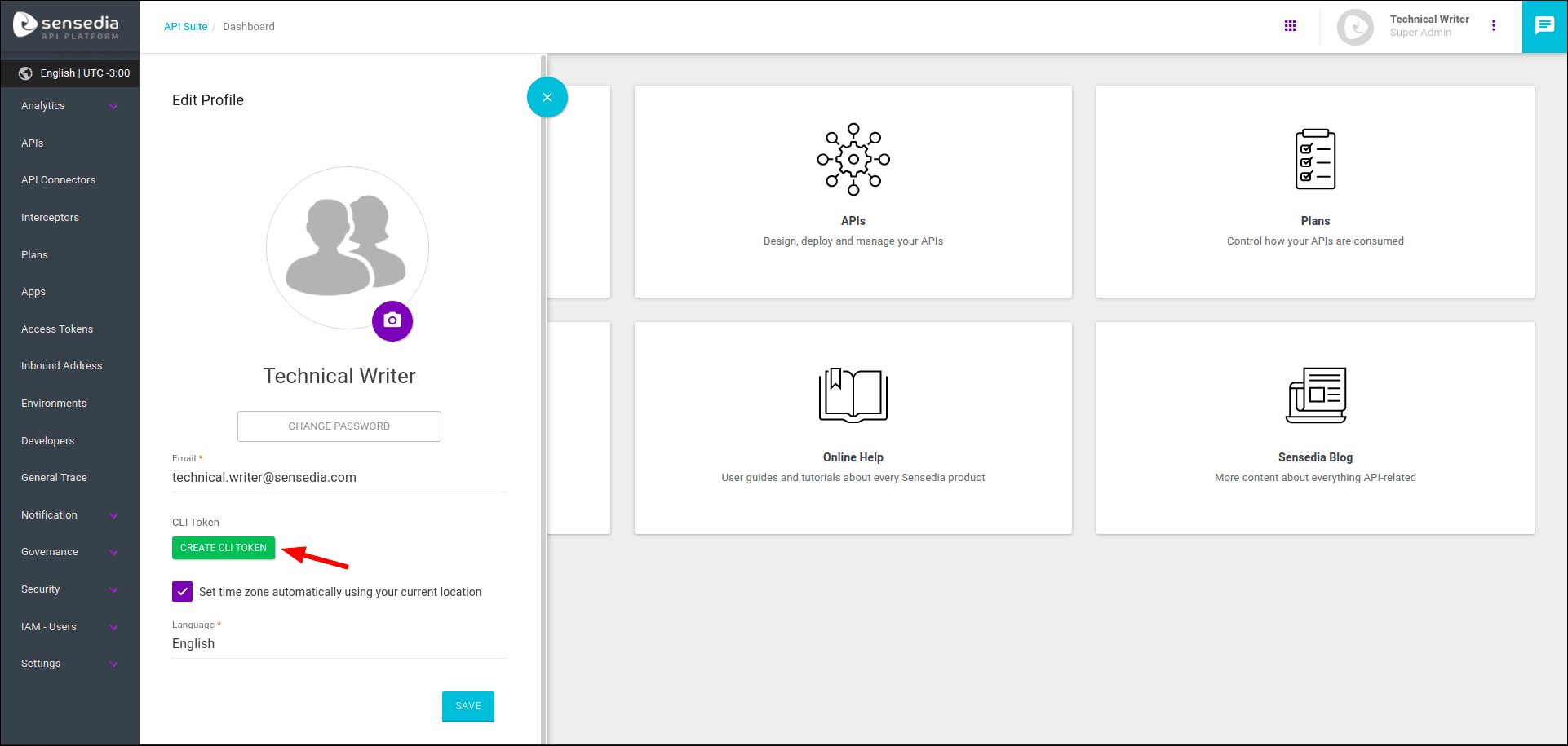
Copy the code that will be displayed in the CLI Token field.
That is the code that has to be passed with the --token flag of the ssd configure command of Sensedia CLI.
CAUTIONThe Sensedia CLI Token is only visible at the time it is generated. After closing the profile editing window, it will no longer be possible to view it. Therefore, it is recommended to copy it immediately. If necessary, you can revoke it and generate a new token, following the steps below.
Revoking the token on Sensedia API Platform
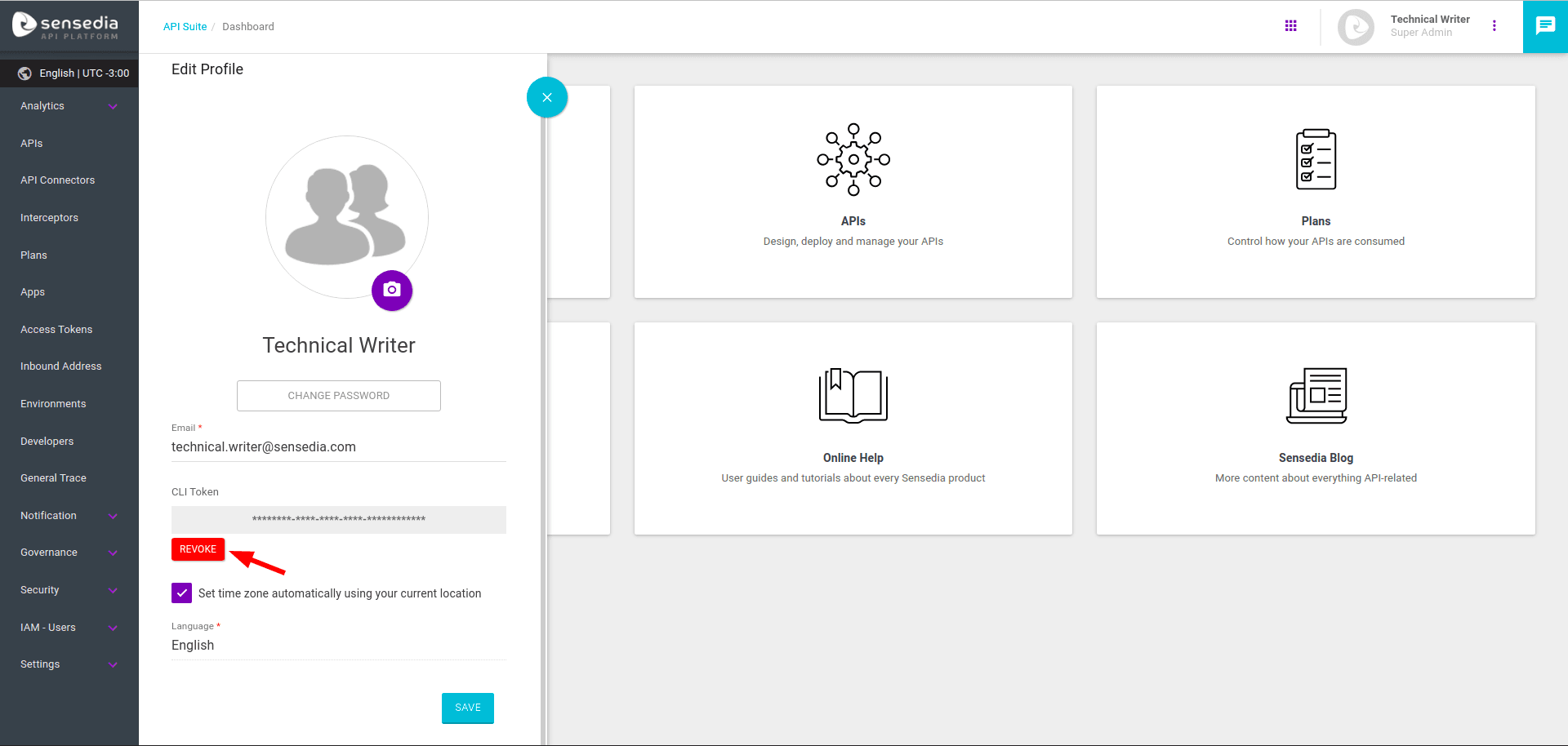
You can revoke (i.e. disable) the Sensedia CLI token at any time by clicking the REVOKE button as shown in the figure below. This will permanently prevent Sensedia CLI from making requests to Sensedia API Platform with this token. To authenticate Sensedia CLI again, you will need to generate a new token by repeating the steps above.
Revoking the token through Sensedia CLI (ssd logout)
The ssd logout command can be followed by flags with their respective arguments:
If no flag is specified, the interactive mode will be activated.
Available Flags
Global Flags
NOTEThe Sensedia CLI Token has no expiry time.
Sensedia CLI Token and changes in access permissions
If new access permissions are granted, the user must generate a new Sensedia CLI Token for the new permissions to take effect;
If permissions are removed, the administrator must revoke the current Sensedia CLI Token for the user to lose these permissions.
To revoke the current Sensedia CLI Token and generate a new one, follow the steps described above.