- Home
- Documentation
- Developer Portal
- Portal Manager
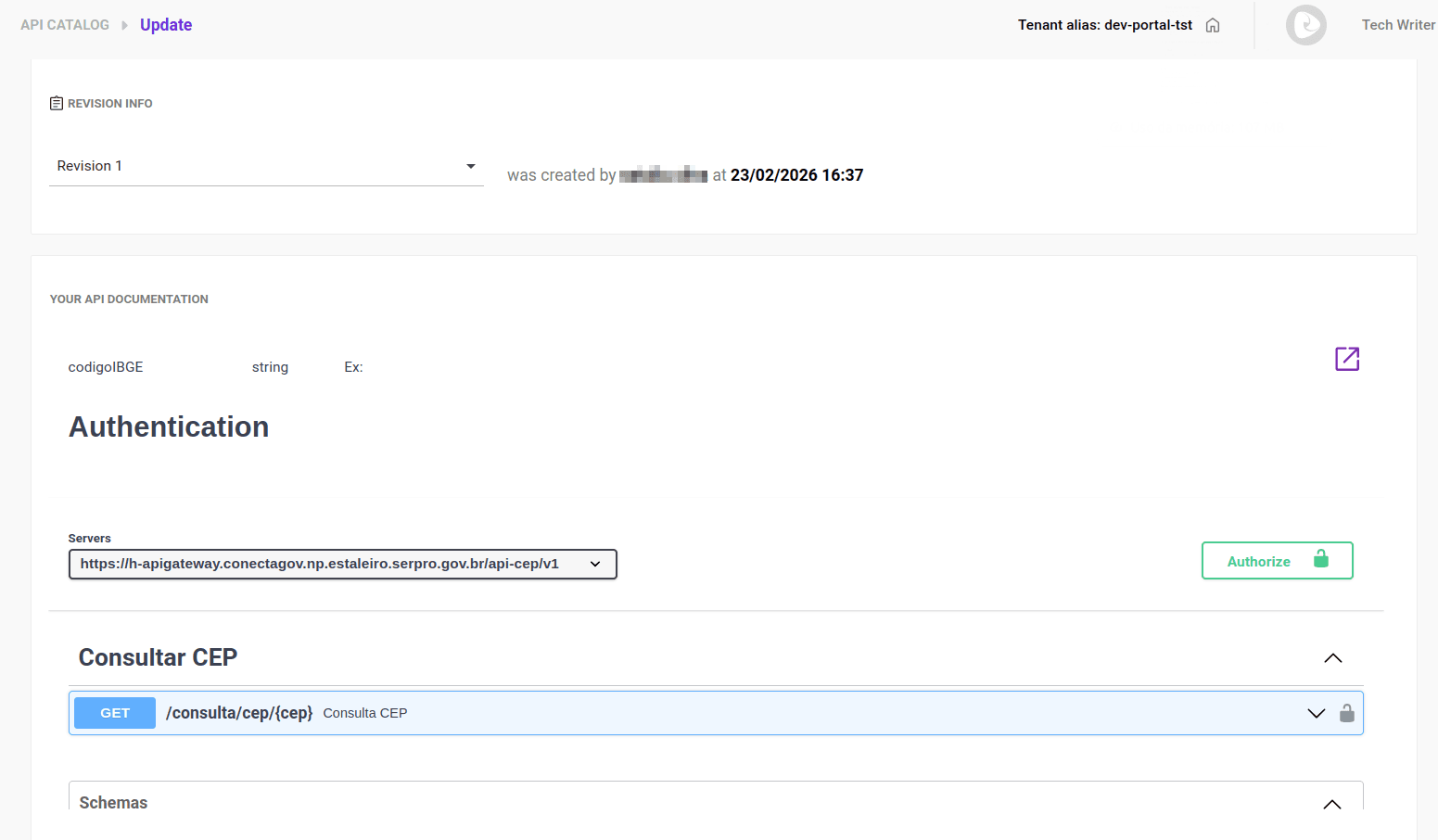
General Info
On the General Info tab, you can:
- Configure credentials to access the API.
- Replace (edit) a documentation (available only for manually created documentations).
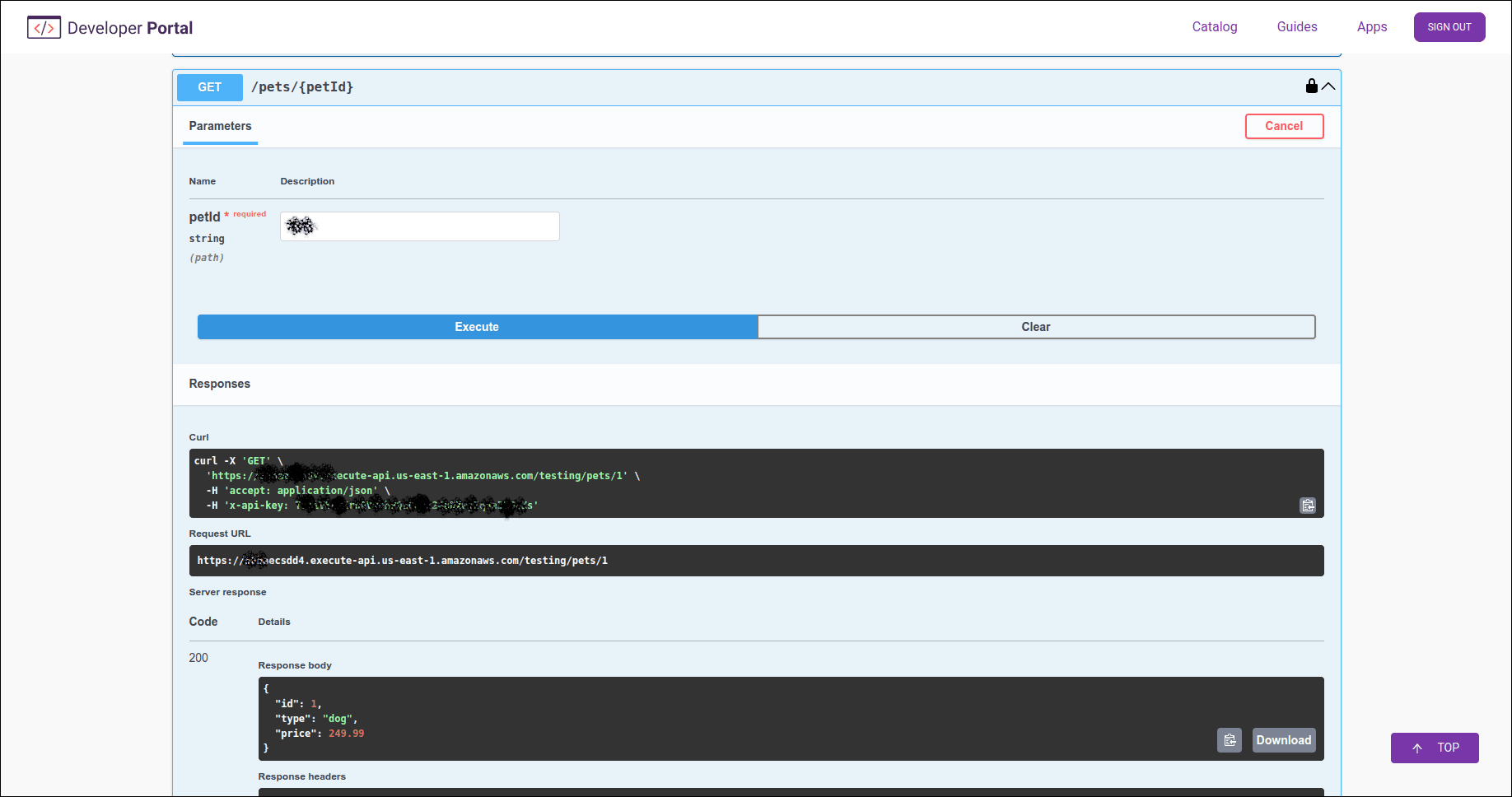
- Make a test call to the API (tryout).
Accessing the General Info tab
Follow these steps to access the General Info tab:
Step 1
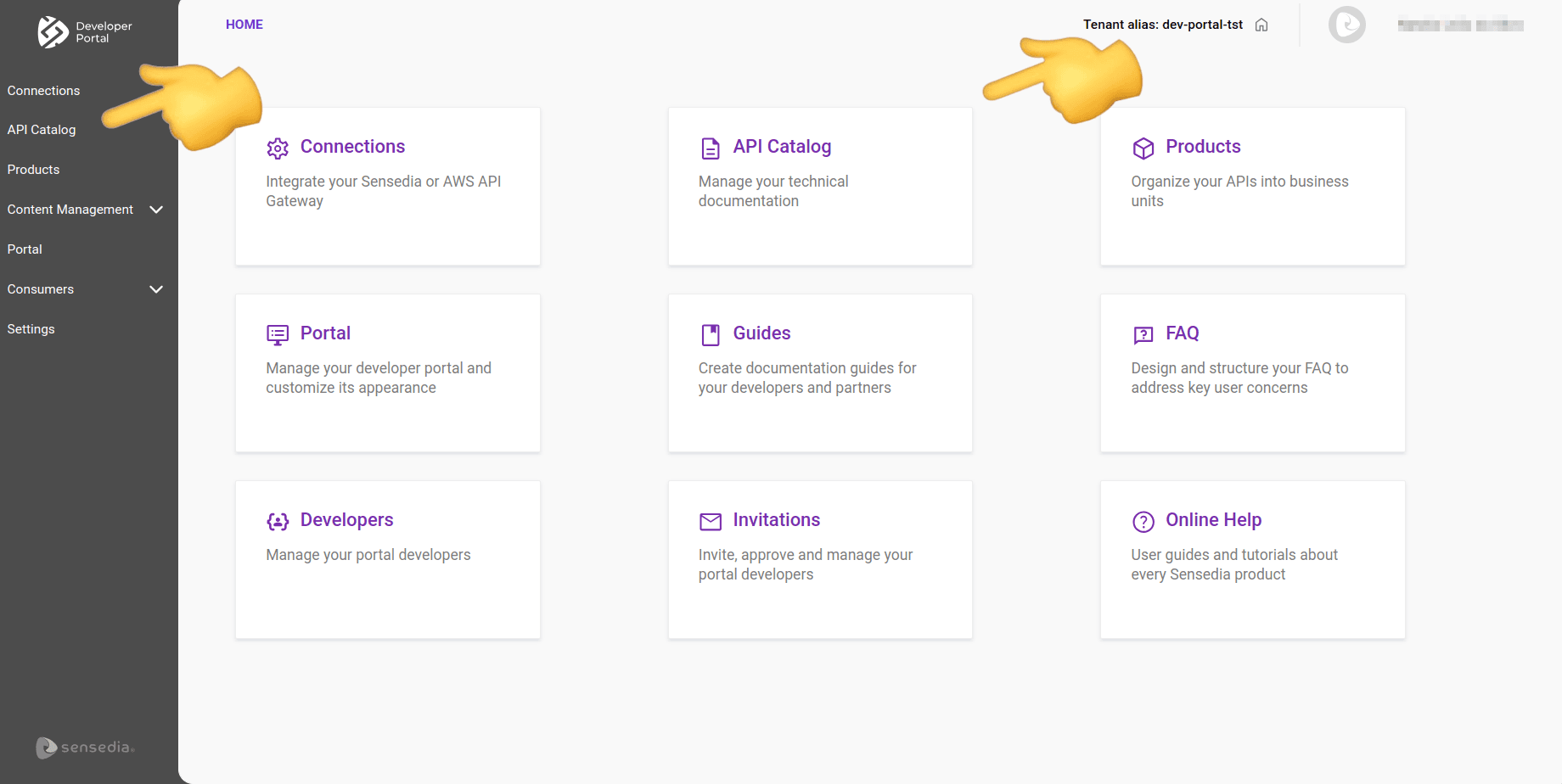
Access the API Catalog page by clicking the left side menu or the corresponding card on the Developer Portal home screen.
 for the desired API.
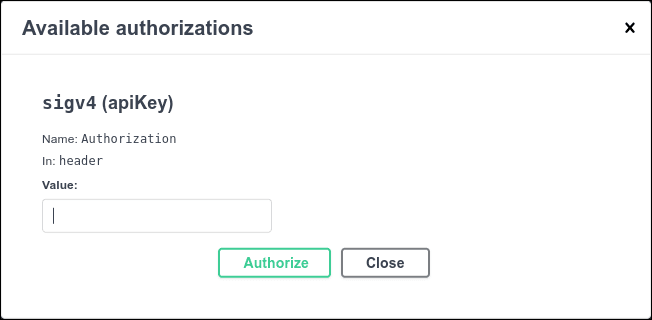
Configuring credentials
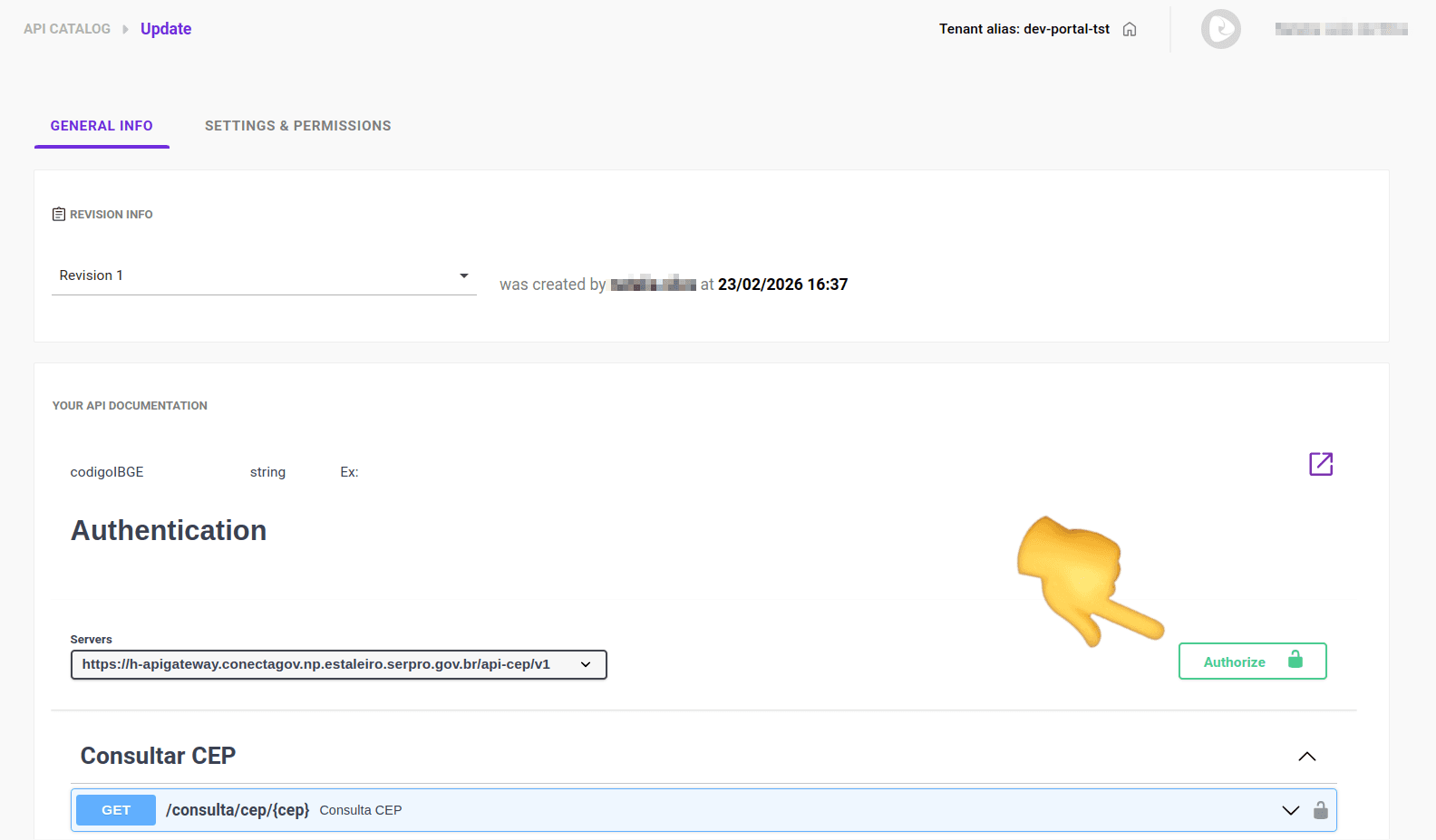
To enter access credentials for the API:
Step 1
Access the General Info tab in API Catalog.
Tryout
This feature allows you to make calls to the API directly from the documentation.
With tryout, you can understand the format of requests and responses and what parameters are required by each endpoint.
TIPSee how to choose the environment for tryout.
Follow these steps to use tryout:
Step 1
Follow the steps to reach the Settings and Permissions tab.

Step 3
On the screen that opens, choose the API environment you want to test.
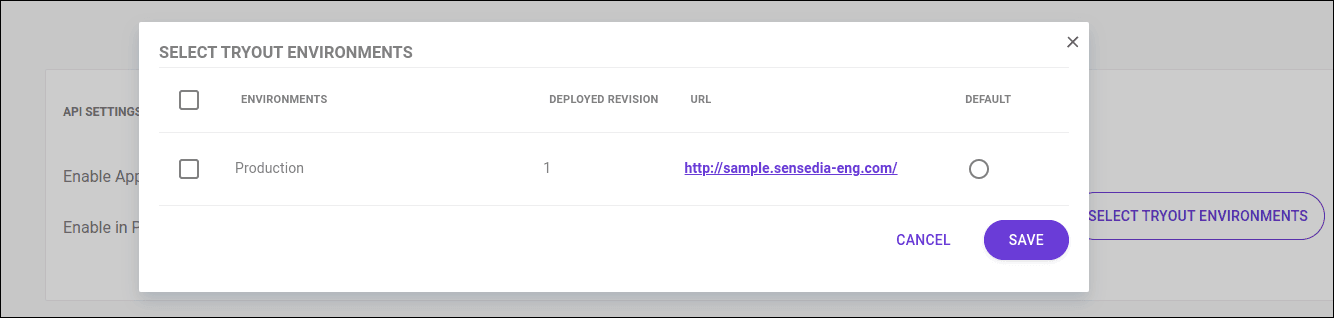
IMPORTANTThe environments available for tryout are named in a standardized way, regardless of the provider, based on the API contract's technical specifications:
For OpenAPI 3.x: the information is obtained from the
servers.url(address) andservers.description(environment name) fields.For Swagger 2.0: the URL is formed by combining the
scheme,host, andbasePathfields.If the contract does not provide an explicit description for the environment, the system uses the URL host as the identifier or automatically searches for keywords (such as prod, dev, or test) to name the environment.
Step 4
Navigate the API documentation and click Try it out to make calls to the endpoints. 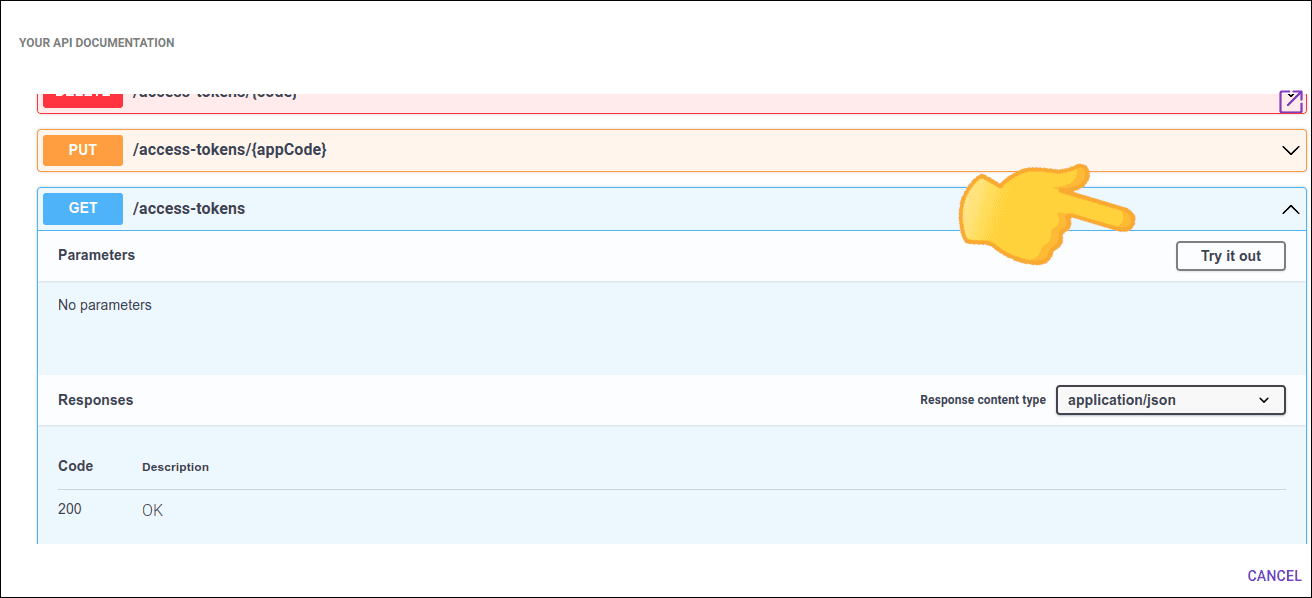
NOTEIf necessary, click Authorize and insert the credentials to access the API.