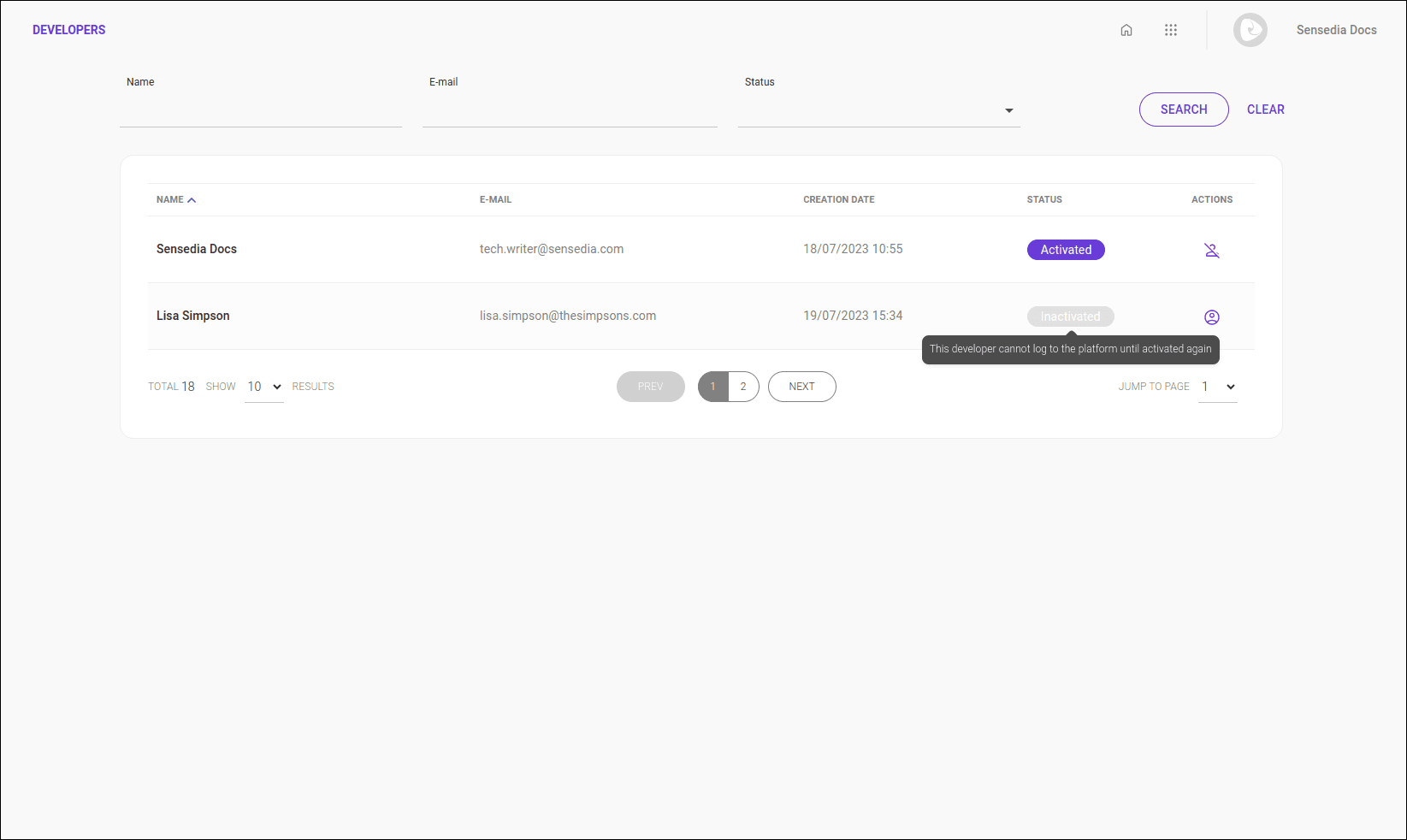
Developers gives you a complete list of all developers that are registered and able to access the private information published in your portal.
Both active and inactive accounts are displayed in this list.
Search
You can search developers by name, email and status. Part of the name or email is enough to perform the search.
Write your search and click SEARCH to update the list of developers.
Click CLEAR to clear the entered search.
Search for one name at a time.
List of developers
The developer list displays the following columns:
- Name: developer name;
- Email: email to which the invitation was sent;
- Creation date: date and time of account creation;
- Status: activated or inactivated;
- Actions: options to activate or inactivate the account.
NOTEThe list of developers is different from the Developer Portal user list. Developers you register here, as Consumers, can access (consume) your APIs and APPs documents that are published on your portal. Access to the Portal Manager of your Developer Portal (for example, access to add documents, organize APIs in Products, etc.) can be obtained in Access Control.
See here how to create a user for your Sensedia products.
Activating and inactivating a developer
Developers with inactive status are unable to log in. To activate or inactivate a developer, click the corresponding icon ( to activate or
  to inactivate) in the actions column.