- Home
- ...
- Building Integrations
- Cloning an Integration
When you need to build a new flow that is very similar to one you already created, you can clone an existing integration flow instead of rebuilding it from scratch. Cloning turns an existing flow into a reusable template, speeding up development and reducing rework.
The clone is an exact copy of the original, including:
- All components, connectors, and EIPs, in the same order.
- All internal settings of each component (endpoints, SQL queries, scripts, etc.).
- All data mappings and transformations (resources).
- All flow variables.
The new flow also creates its own links to the same data sources used by the original.
IMPORTANTCloning is available only for flows built in the Diagram and Source Code model. It is not available for legacy Canvas flows.
IMPORTANTYou can only clone a flow whose status is Saved or Released. To clone a flow, you need create/update permission for integration flows.
How it works
You can start cloning from two places:
- On the Integration Flows screen, using the Clone option available for each flow in the list.
- Inside a flow, on the Integration Flow screen, using the Clone option.
When you confirm, the system creates the copy, records the action in the audit log, and opens the new flow in a new tab with the Saved status.
Cloning a flow
Open the Clone option
On the Integration Flows screen, find the flow you want to clone and select Clone. You can also open the flow and select Clone on the Integration Flow screen.
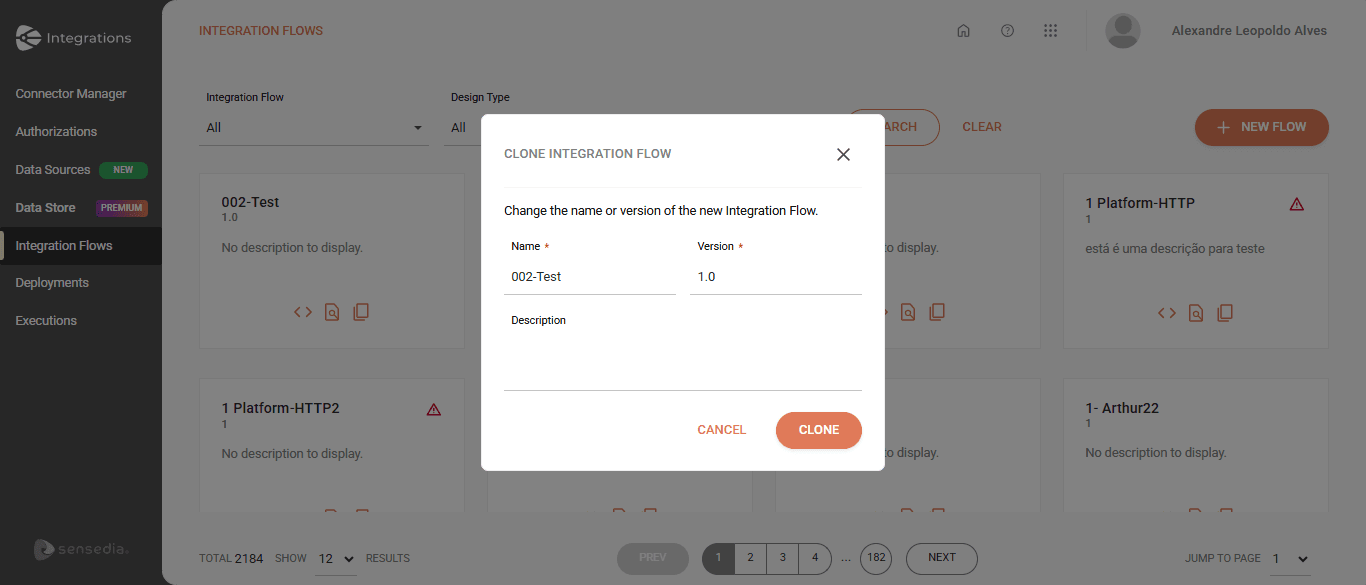
Fill in the new flow's details
In the modal, provide:
- Name — pre-filled with the original flow's data; change it as needed.
- Version
- Description
Confirm
Confirm to create the clone. The new flow opens in a new tab with the Saved status.
NOTEThe combination of Name + Version must be unique. If it is already in use, the modal shows a duplicate error and stays open so you can adjust the values.