- Home
- ...
- Roles and permissions
- Default Roles
In Roles, you can view and manage the different roles, which group users according to permissions (e.g., view, edit) for each product's features.
Some roles are defined by default and can already be assigned to users. In total, there are seven default roles, with specific permissions for each of them:
- Admin,
- API Developer,
- Operations,
- API Product Owner,
- Lifecycle Manager,
- Read-only, and
- Super Admin.
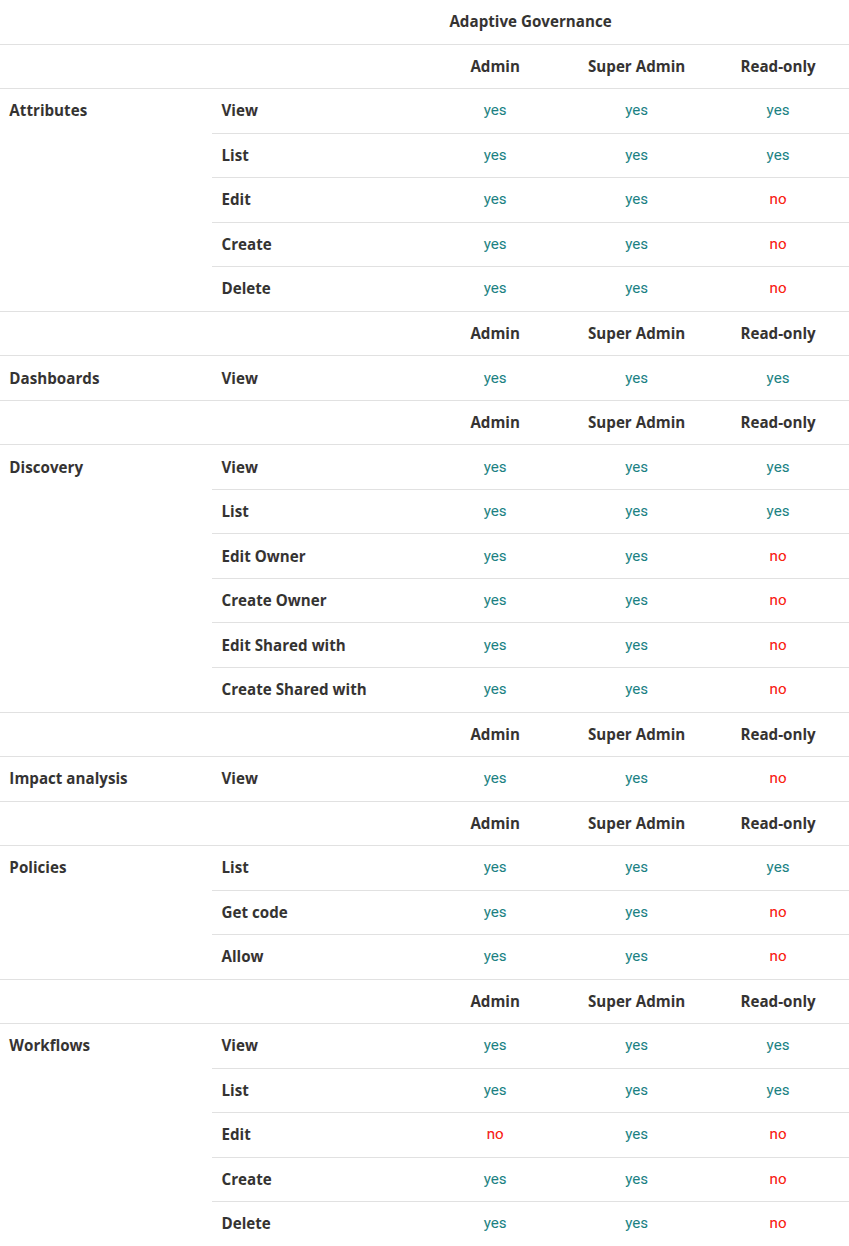
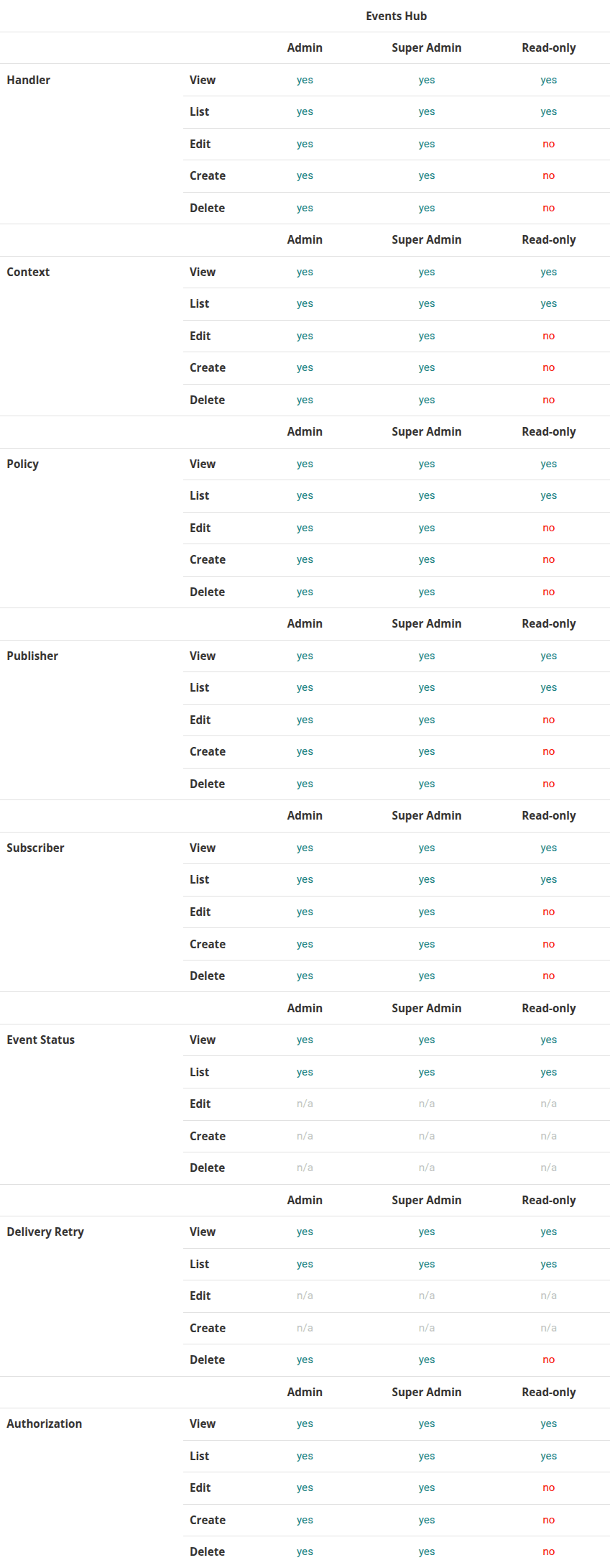
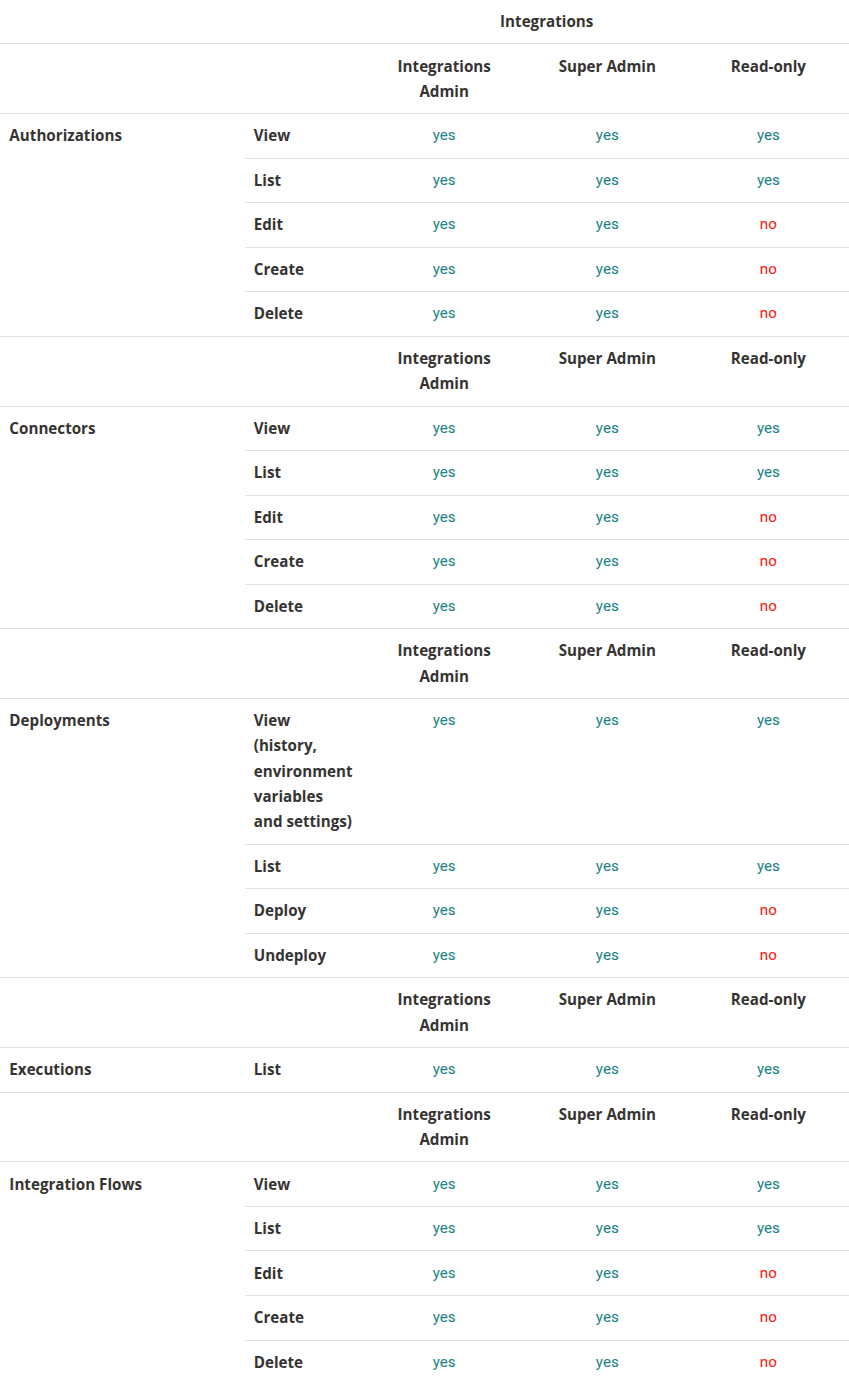
Check the permissions for each default role for Sensedia solutions:
Access Control
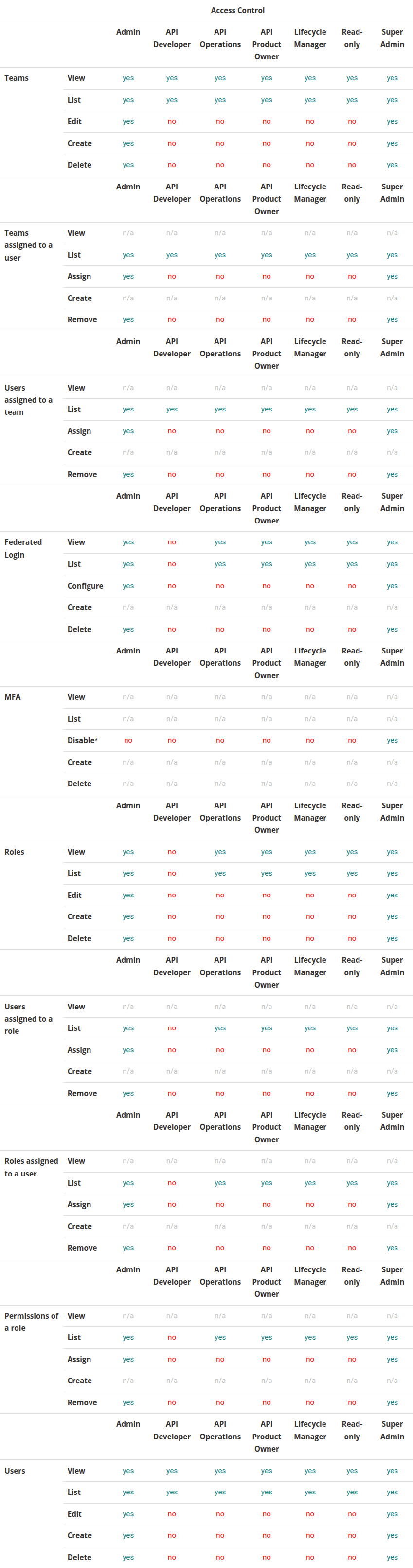
• MFA: Deactivate = permission to deactivate the MFA for other users.
All users can activate and deactivate their own MFA.
• Role permissions Only SuperAdmin and Admin can associate or remove the association of permissions in roles.
API Platform

Events Hub
Integrations
Adaptive Governance