- Home
- ...
- Developer Portal
- Apps: Overview
To create Apps, you first need to
Step 1
configure a connection with a provider.
Step 2
import the APIs (for Sensedia gateway, APIs are imported automatically when the connection is set).
NOTE
- For Sensedia Apps management, go to the Apps page on your Developer Portal.
- For AWS Apps, go to the Developer Portal Apps page to create and edit the App; and to Portal Manager Consumers to manage it (approve¹ and register credentials, reject, cancel, etc.) ¹ The automatic approval of AWS Apps depends on the configuration of the webhook.
See the difference between Developer Portal and Portal Manager.
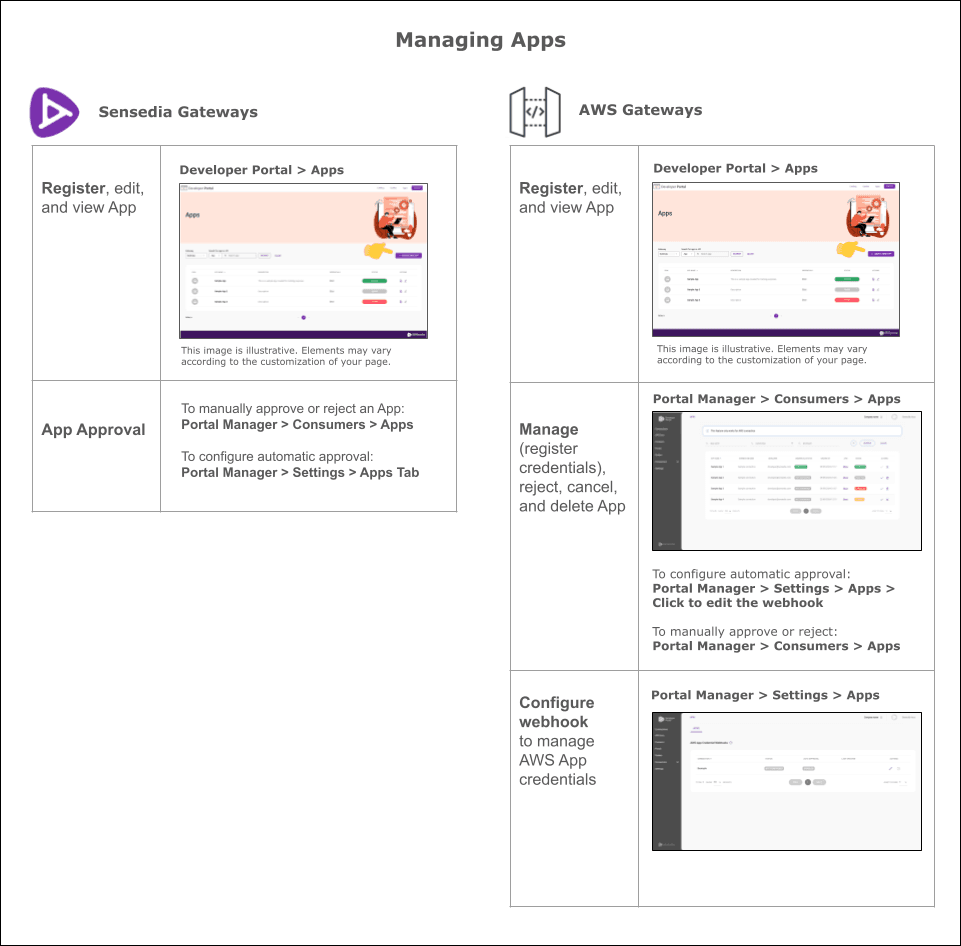
Click the links below to see how to:
- View the App list
Sensedia Connections
AWS Connections
- Register AWS App
- Approve App and register credentials.
- Reject,
- Cancel and
- Delete AWS App
- Enable AWS App Auto-Approval