- Home
- ...
- Content Management
- Creating FAQ Pages for Your Developer Portal
NOTEThe FAQ tab is now located within the Content Management aggregator in the left sidebar menu of the Portal Manager.
TIPFor frequently asked questions about the Portal Manager or the Developer Portal, visit the FAQ page.
A Frequently Asked Questions (FAQ) page is essential for a developer portal.
It helps users find quick answers to common questions, reducing the need for support contact and improving the overall experience.
-> Pages are created and managed using the Portal Manager and are displayed in the Developer Portal.
-> FAQs are organized into topics. You can create up to 9 topics.
-> Each topic can contain up to 9 questions and answers.

Reading FAQ pages in the Developer Portal
To read FAQ pages in the Developer Portal:
-
Click "FAQ" in the top right corner of the Developer Portal.
-
Choose a topic or use the search bar to find a specific question.
Read more in FAQ -- Developer Portal.
Creating a Topic and Questions via Portal Manager
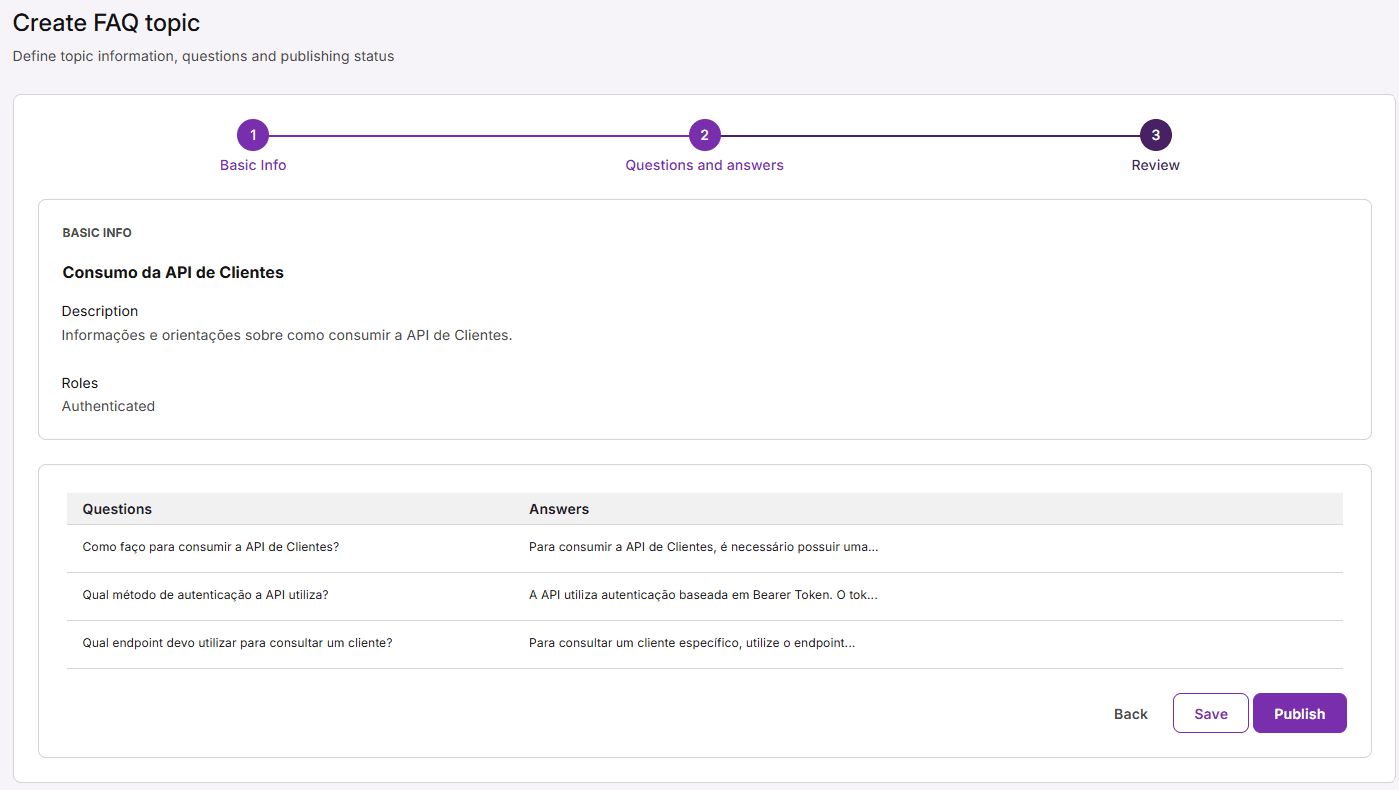
To create your FAQ pages, follow the steps below:
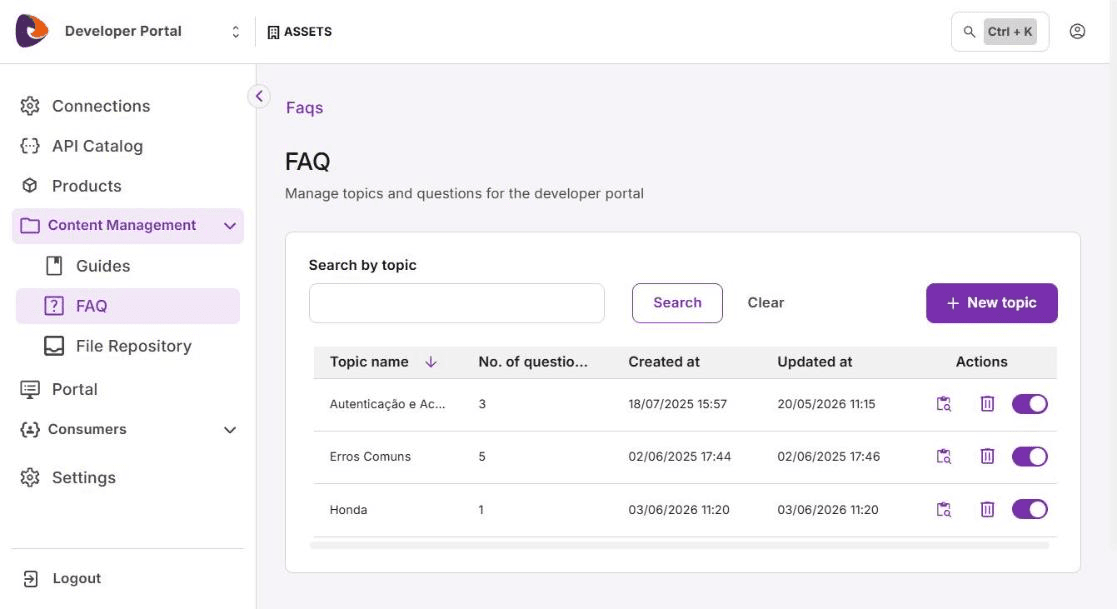
Step 3
Provide the following information:
- Topic name: the topic's name,
- Description: a brief description of the topic,
- Roles: select the roles that can view this topic and click NEXT.
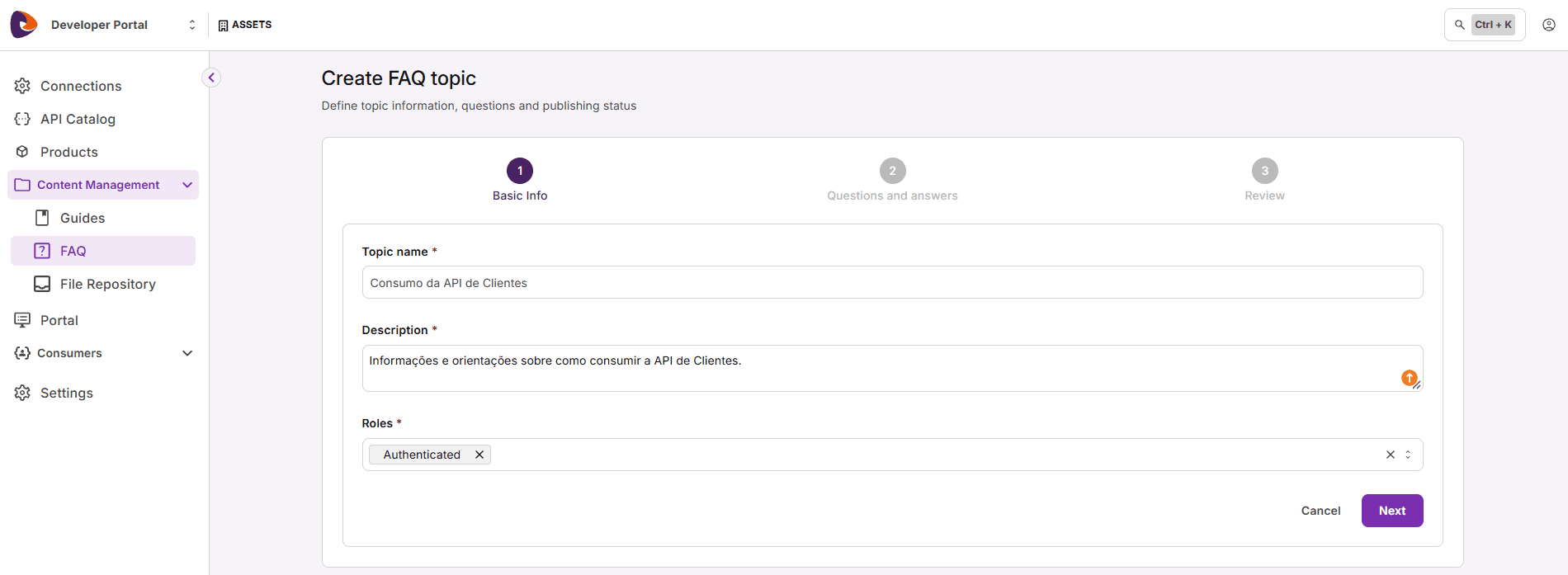
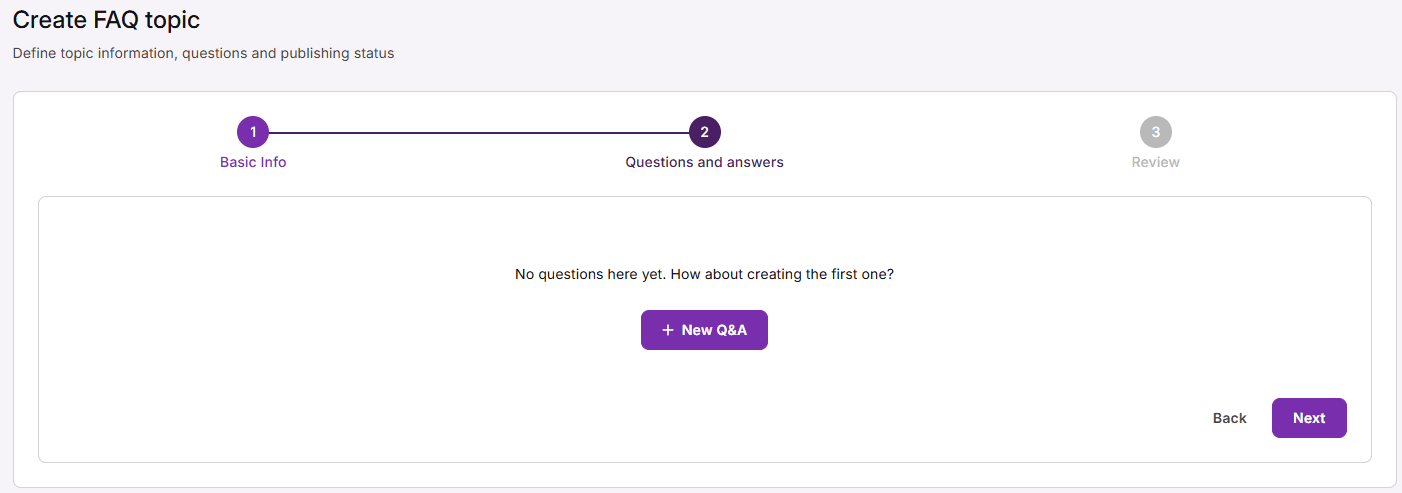
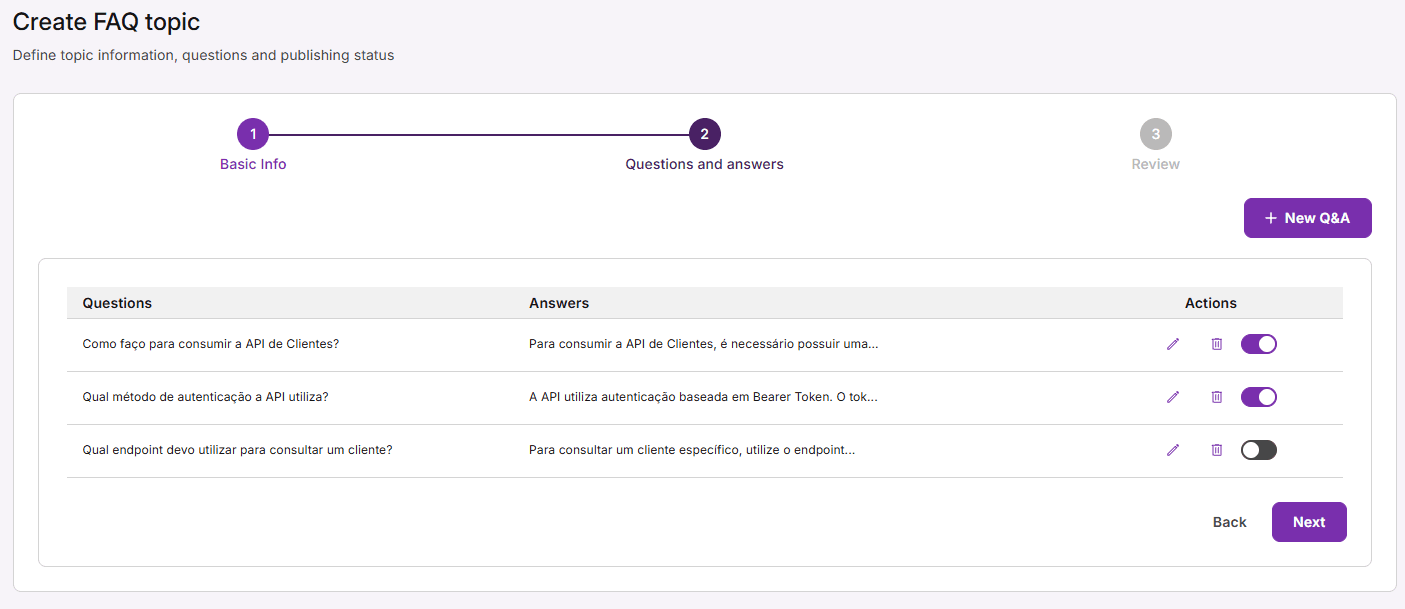
Step 5
Provide the following information:
- Question: the question.
- Answer: the answer, which must contain a maximum of 2000 characters.
and click SAVE.
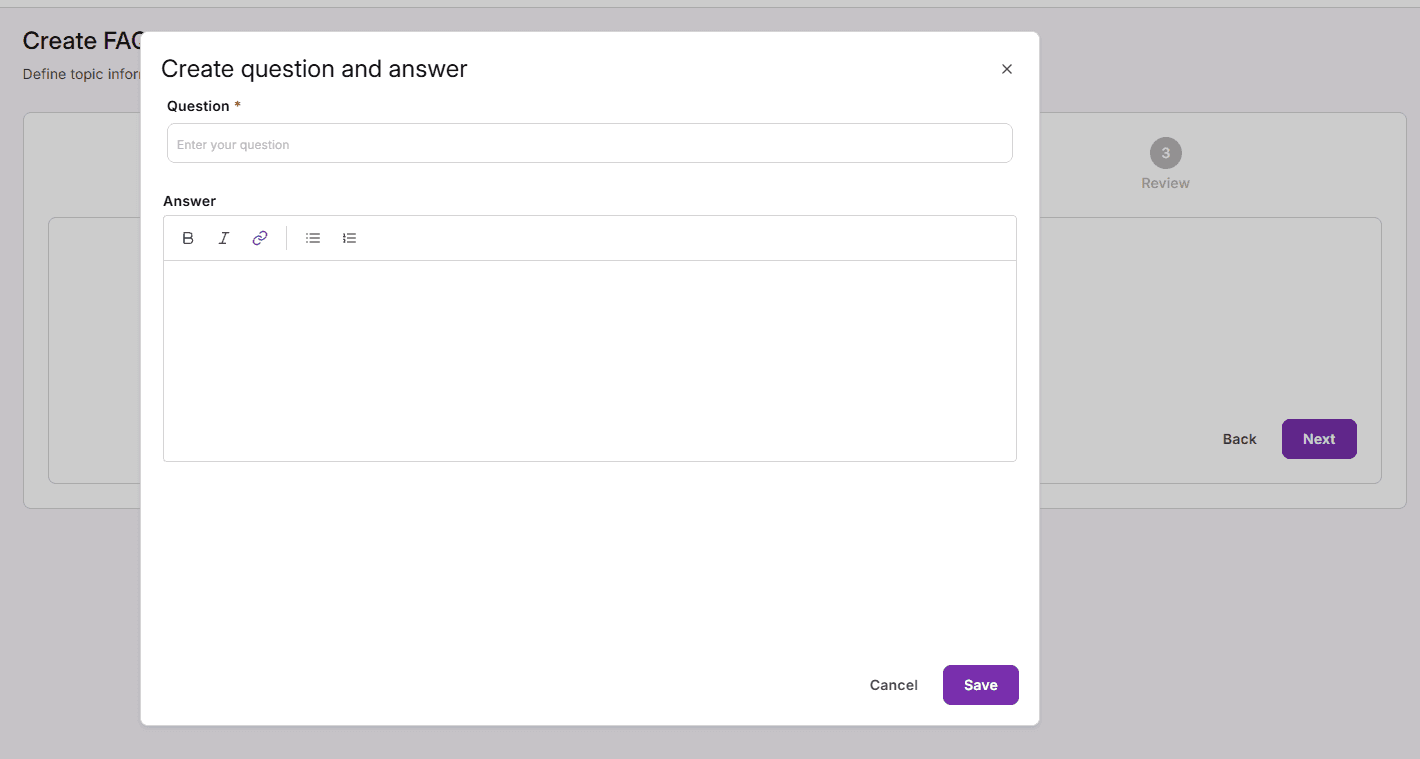
TIPYou can come back and add other questions and answers later. You don't need to add them all at once right now.
Associating files with a question
You can associate files from the File Repository with each FAQ question. In the Developer Portal, the files appear in the Resources section, above the answer, when the question is expanded.
In Content Management > FAQ, open the topic that contains the question.
In the question list, click the paperclip icon (Associate files) in the Actions column of the question.
Check the files in the Select files from repository window and click Save.
NOTEFiles are associated per question, not per topic.
IMPORTANTThe File Repository is a premium feature and is not included in the Basic plan. Without it, the Associate files icon is disabled.