- Home
- Documentation
- Integrations
- Integrations Guide
Integrations using Apache Camel let you orchestrate data exchange between systems in a standardized way, using components, routes, and processing rules.
In Integrations, you can create these integrations visually and intuitively, through drag and drop and forms, while keeping the flexibility to use and view the code when needed — combining ease of use and technical power in the same environment.
Integration Flows
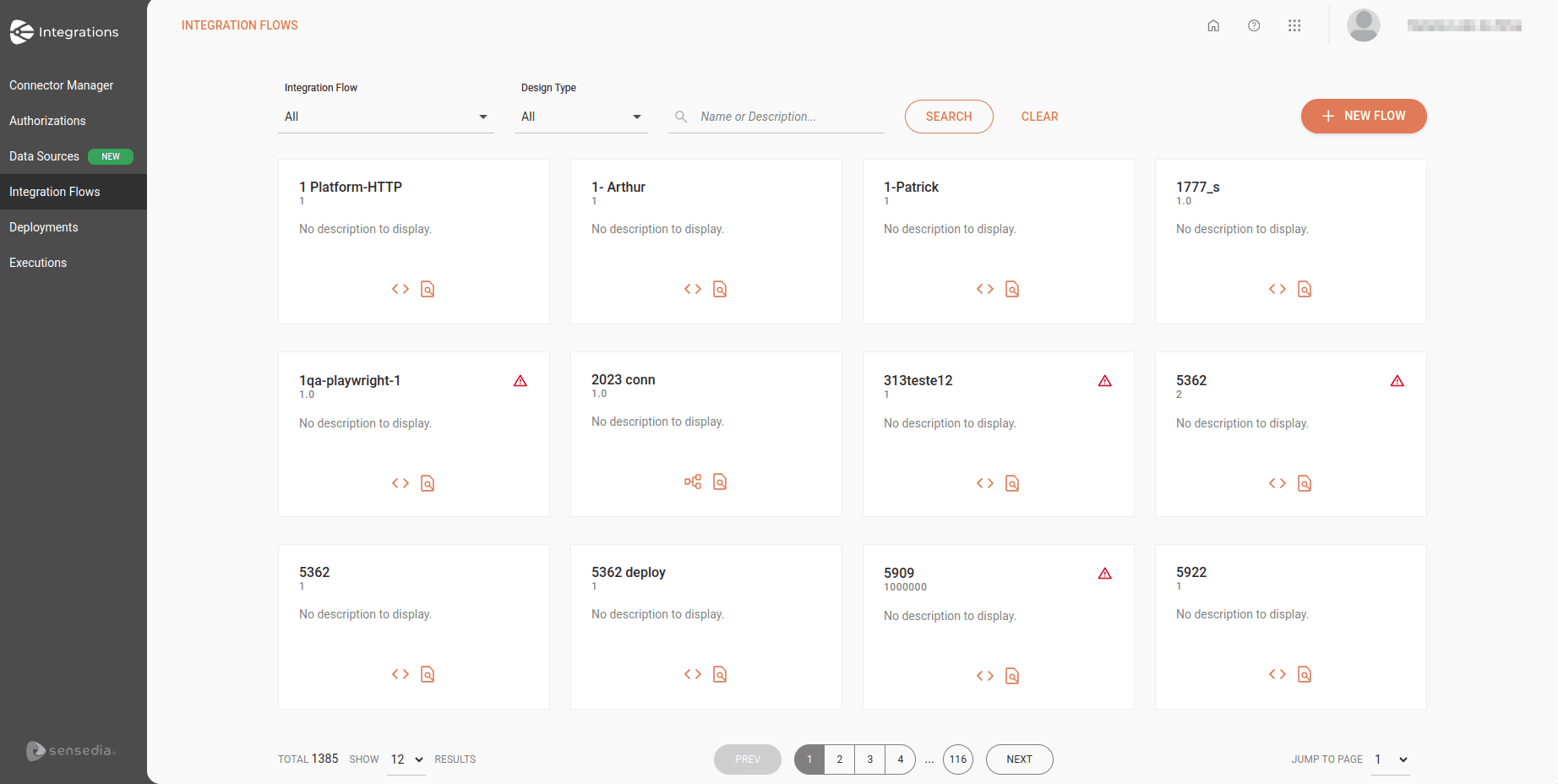
The Integration Flows screen displays the last 12 integration flows created, arranged in cards in alphabetical order.
Each card displays:
-
The name and version of the integration flow
-
A description (optional)
-
A shortcut to the workspace of Diagram & Source and Canvas (legacy) flows, respectively:
- Diagram & Source Code

- Canvas

- Executions

- Diagram & Source Code
If there is any inconsistency, you will see an alert icon  in the upper right corner of the card.
To create a new integration, click + NEW FLOW.
See how to create a new integration.
Filters
At the top of the screen, you can search for integration flows using the following filters:
-
Integration Flow: select All or With issues.
-
Integration Type: select the design type of the integration flow: Diagram & Source Code, Canvas, or All.
To search for a specific integration flow, type the name or a word from the flow description in the search box and click SEARCH.
Integrations guide
Building Integrations
See the step by step to create, configure, version, and deploy your integrations in an environment.
AI Copilot
Learn how to use the AI Copilot to speed up creating and configuring your integrations.
Advanced Settings
Check the advanced settings Resources and Flow Variables.
EIPs
Learn about the Enterprise Integration Patterns (EIPs) available for use in Integrations.
These patterns help orchestrate and structure the flow, including routing, splitting, aggregation, and message control.
Triggers
Check the trigger-type components available to start flows in Integrations.
They are responsible for starting the execution of integrations based on external events, cron, queues, and other input mechanisms.
Data Sources
Learn how to access and query databases using the JDBC component.
Deployment Management
Track the status of deployments and perform management actions.
Expression Languages
Learn about the Expression Languages available for evaluating and transforming data in Integrations.
They let you access values, compare information, and manipulate messages during the integration flow.
Observability and Monitoring
Check the execution records of deployed integrations. With the support of logs and traces, you ensure greater traceability and efficiency in troubleshooting.
Example - Payment Management
Check a complete example of a payment management integration.