- Home
- Documentation
- Integrations
- t Azure Storage Blob Service
t Azure Storage Blob Service
The Azure Storage Blob Service component allows you to store and retrieve large binary objects (blobs) in the Azure Storage Blob service using Azure v12 APIs.
URI Syntax: azure-storage-blob:accountName/containerName
Main fields
Path parameters
Query parameters
Example
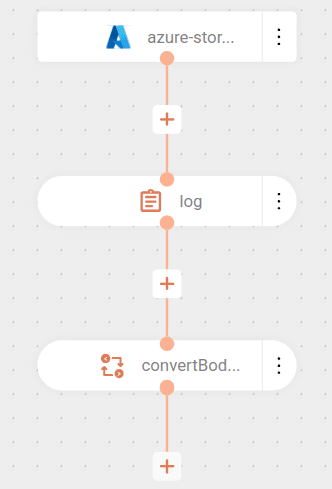
The flow starts by connecting to the my-container container in the Azure account myaccount using the access key provided in a variable. Read about flow variables configuration.
Then, it performs the listBlobs operation, listing the files (blobs) present in the container.
For each file found:
- Logs the name of the file read.
- Converts the file content to String type for further processing.