---
title: Developers
description: Understand how to view, search, activate, and manage developer access in the portal.
documentId: developer-portal-developers
locale: en-US
---
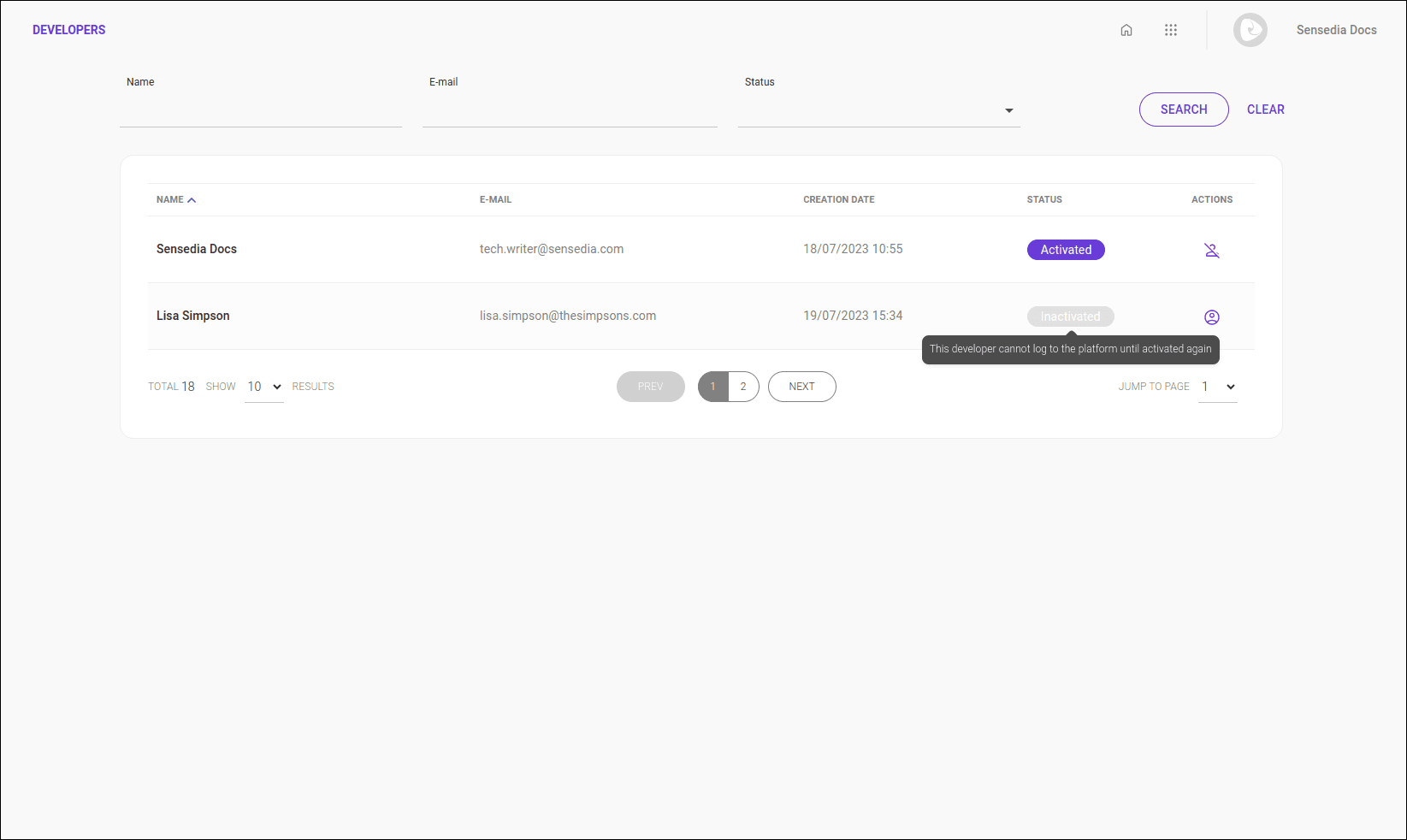
**Developers** gives you a complete list of all developers that are registered and able to access the private information published in your portal.
Both active and inactive accounts are displayed in this list.
## Search
You can search developers by name, email and status. Part of the name or email is enough to perform the search.
Write your search and click **SEARCH** to update the list of developers.
Click **CLEAR** to clear the entered search.
Search for one name at a time.
## List of developers
The developer list displays the following columns:
- **Name:** developer name;
- **Email:** email to which the invitation was sent;
- **Creation date:** date and time of account creation;
- **Status:** activated or inactivated;
- **Actions:** options to activate or inactivate the account.
The list of developers is different from the Developer Portal user list. Developers you register here, as **Consumers**, can access (consume) your APIs and APPs documents that are published on your portal. Access to the Portal Manager of your **Developer Portal** (for example, access to add documents, organize APIs in Products, etc.) can be obtained in [Access Control](/docs/access-control).
See here [how to create a user](/docs/access-control/new-user) for your Sensedia products.
## Activating and inactivating a developer
Developers with inactive status are unable to log in. To activate or inactivate a developer, click the corresponding icon ( to activate or  to inactivate) in the actions column.