---
title: Release Notes - Integrations
description: Sensedia Integrations release notes
documentId: integrations-release-notes
locale: en-US
---
# 2026
## Previous years
- [**2025**](/docs/integrations/ipaas-release-notes-2025)
- [**2024**](/docs/integrations/ipaas-release-notes-2024)
- [**2023**](/docs/integrations/ipaas-release-notes-2023)
## March 2026
**New Features**
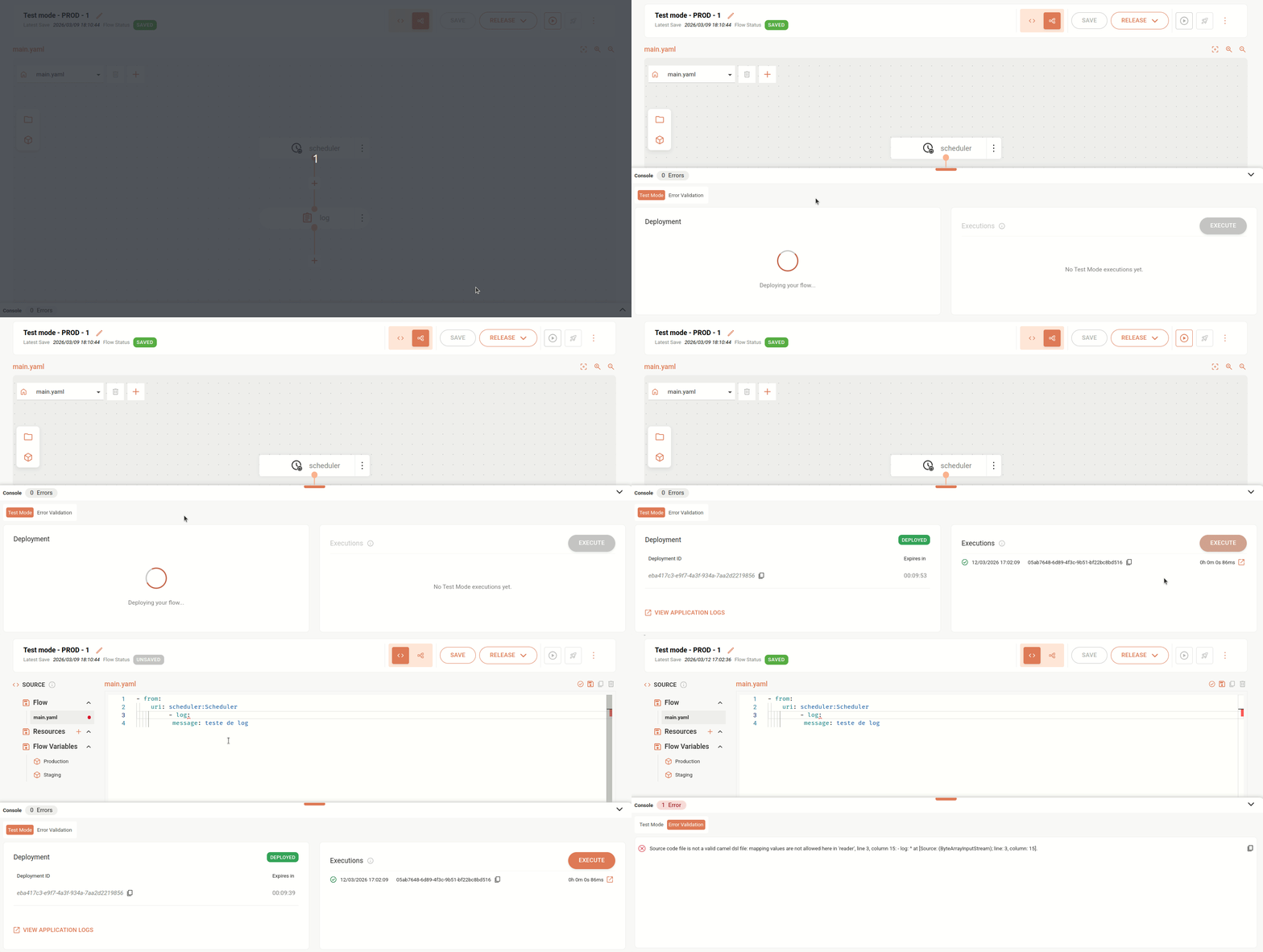
- **Test Mode execution history and technical logs viewing**
You can now view the history of the last 5 executions performed in test mode and their respective logs.
- **Unified Test Mode and Error Validation display in console**
Now, when you save an integration or use the **Full Validation** feature ("check" button available in the upper right corner of the code editor, in the Source Code tab), structure and syntax errors detected are displayed in the console, in the [**Error Validation**](/docs/integrations/ipaas-flow-error-validation) tab, next to the [**Test Mode**](/docs/integrations/ipaas-flow-test-mode) tab.
**New Feature**
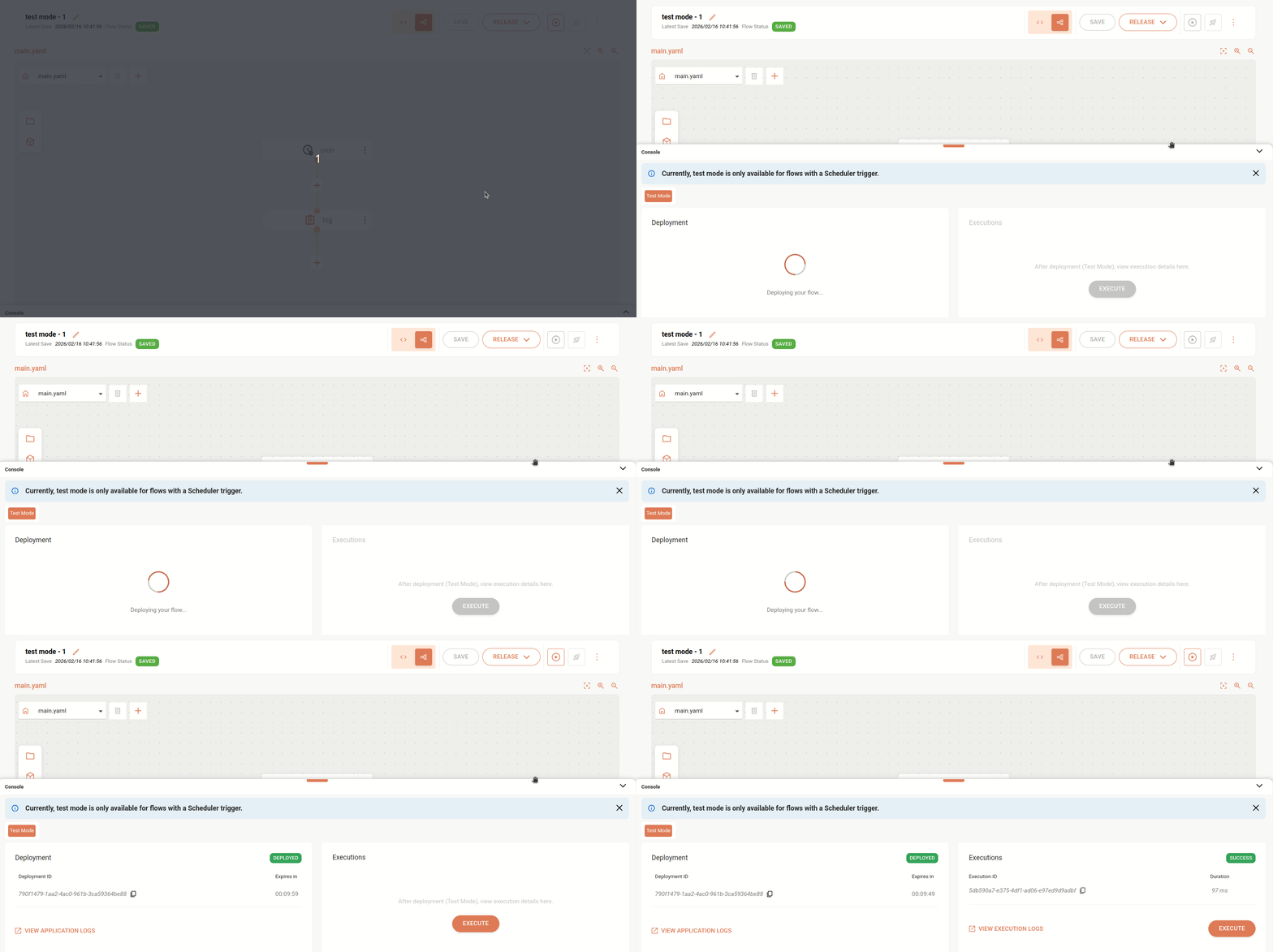
- **Integration execution in test mode**
You can now execute integrations in test mode and make adjustments before deployment. This functionality allows you to validate flows in real time, identify errors, check data, and optimize performance efficiently during development, ensuring greater security and quality to the process.
**Test mode** is available in the **Console**, located at the bottom of the **Source** screen, in the **Diagram** view mode.
Consult details about the [Test Mode](/docs/integrations/ipaas-flow-test-mode).
Currently, test mode is only available for flows with triggers of type [**Schedulers and Timers**: Cron, Quartz, Scheduler, and Timer](/docs/integrations/ipaas-triggers-scheduling-timing).
## January 2026
**Improvement**
- **Expanded error detection in integrations**
Integrations now detects and notifies more types of errors during integration deployment, such as the incorrect use of the URI: `aws-s3://bucketNameOrArn` instead of `aws2-s3://bucketNameOrArn` (**correct**). This enhancement increases visibility of failures and makes it easier to resolve issues.
**New Feature**
- **New component released**
The **Validator XSD** component is now available for use in your integrations, allowing you to validate the structure and compliance of XML data according to XSD contracts. With this component, messages that do not meet the defined standard are automatically blocked, preventing failures and ensuring greater security when sending information to target systems.
See more information on the [Validator XSD](/docs/integrations/ipaas-validator-xsd) page.
**New Feature**
- **New component released**
You can now use the **AWS Simple Email Service (SES)** component in your integrations, enabling you to send emails directly within integration flows, leveraging Amazon's scalable and managed infrastructure.
See more information on the [AWS SES](/docs/integrations/ipaas-aws-ses) page.
**Improvement**
- **Automatic undeploy before new integration deployment**
Before redeploying an integration, the system will automatically execute the undeploy of the previous version, if it exists.
This strategy was already applied in some specific scenarios, such as updating integrations with REST trigger to Scheduler, and is now consistently adopted across all deployment scenarios.
**Fix**
- We fixed an issue where, after deploying a new version of an integration, the previous version remained active for some time, preventing changes from being applied immediately.