---
title: t AWS S3 Storage Service
description: Available triggers
documentId: ipaas-aws-s3-storage-service-trigger
locale: en-US
---
The [**AWS S3 Storage Service**](https://camel.apache.org/components/4.10.x/aws2-s3-component.html) component allows you to interact with AWS's Amazon S3 (Simple Storage Service) and manipulate data in S3 buckets directly through integration routes.
**URI Syntax**: `aws2-s3://bucketNameOrArn`
## Main fields
*Path parameters*
| **Name** | **Description** | **Default** | **Type** |
|----------|---------------|------------|----------|
|`bucketNameOrArn`(common) | (required) Bucket name or ARN.| — | String |
*Query parameters*
| **Name** | **Description** | **Default** | **Type** |
|----------|---------------|------------|----------|
| `fileName`(consumer) | To get the object from the bucket with the specified file name. | — | String |
| `accessKey`(security) | Amazon AWS access key. | — | String |
| `secretKey`(security) | Amazon AWS secret key. | — | String |
| `region` (common) | The region in which the S3 client should operate. Possible values: `us-east-1` (N. Virginia, USA), `us-west-2` (Oregon, USA), `eu-west-1` (Ireland), `eu-central-1` (Frankfurt, Germany), `sa-east-1` (São Paulo, Brazil), `ap-southeast-1` (Singapore), etc. | — | String |
## Example
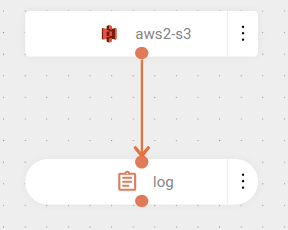
The flow is triggered by new events in an AWS S3 bucket (`aws2-s3://bucket-s3`). The parameters indicate the credentials used, stored in variables (indicated by double curly braces), and the bucket location. Read about [flow variables](/docs/integrations/ipaas-flow-variables) configuration.
Next, the flow logs a message with the content of the processed file or object from the bucket.
```yaml
- from:
uri: aws2-s3://poc-camel-s3
parameters:
region: us-east-1
accessKey: "{{ACCESS_KEY}}"
secretKey: "{{SECRET_KEY}}"
steps:
- log:
message: Got file ${body}
```
The bucket's existence will be validated when the integration begins. If any problem occurs during the creation of the bucket, the deployment will fail and remain with **ERROR** status. Possible errors include:
- Credentials not provided.
- Invalid credentials (`accessKey`/`secretKey`).
- Credentials without permission to create buckets.
- Bucket name already existing in another account.
The file will be automatically deleted after successful processing. To prevent this deletion, set the `deleteAfterRead` parameter to `false`. In this case, the file will be processed repeatedly unless it is moved to another bucket using the `moveAfterRead` and `destinationBucket` parameters.