---
title: Multicast
description: Learn how to use EIPs
documentId: ipaas-eips-multicast
locale: en-US
---
The **Multicast** EIP distributes a message to multiple processing routes, allowing each route to execute its logic independently.
Thus, the integration flow connects to multiple systems or services simultaneously.
## Configuring the Multicast EIP in the Diagram
To configure a **Multicast** in an integration in the **Diagram** tab, follow these steps:
Click **+Add Step** on the canvas.
Select the **EIPs** tab.
Select the **Multicast** EIP. You can use the search tool to locate it.
When adding the EIP to the canvas, two branches with empty *steps* will be created. By clicking **Add Step**, you can add an EIP or component.
After the Multicast EIP, you can add *steps* that unify the flows from different destinations to continue the integration process.
For details on how to configure the **Aggregation Strategy** field, see [aggregation strategies](/docs/integrations/eips-split#aggregation-strategy).
## Deletion of the Multicast EIP and its branches
When deleting the Multicast EIP, all destinations and their respective *steps* will be removed.
## Example
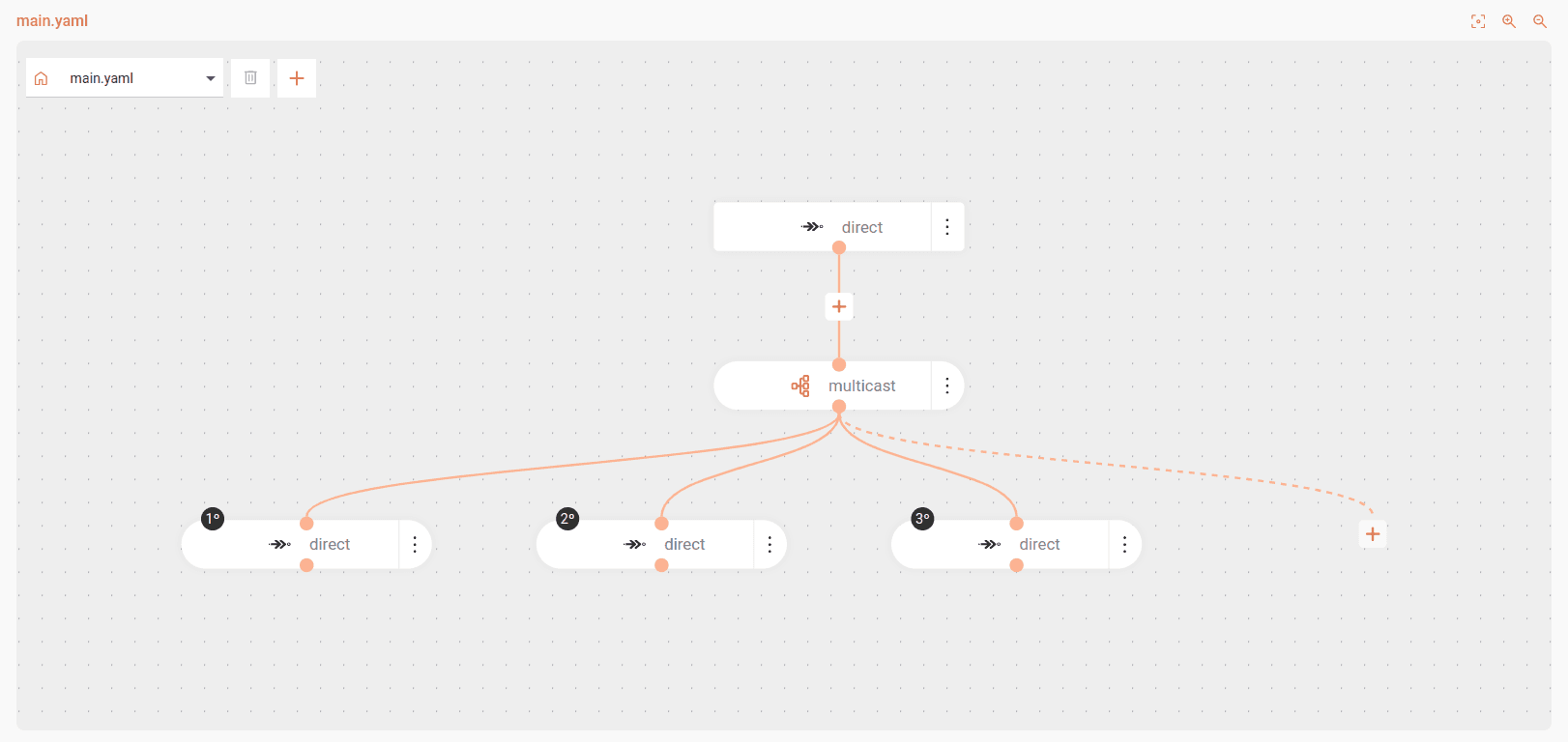
```yaml
- from:
uri: direct:start
steps:
- multicast:
id: multicast-A8$gT1@zQ#-3695522522
steps:
- to:
uri: direct:send-email
- to:
uri: direct:update-stock
- to:
uri: direct:register-analytics
```
The flow starts at the `direct:start` *endpoint* and uses the Multicast EIP to execute three actions simultaneously:
* Send email
* Update stock
* Register analytics
This pattern is useful when you need to execute multiple independent actions in parallel from a single data input.