1. Home
  2. ...
  3. Connection with Sensedia gateways
  4. Connection with Sensedia API Platform 4.x

Connection with Sensedia API Platform 4.x

Create and configure a connection with Sensedia API Platform 4.x.

Access Credentials

To create a new connection with API Platform 4.x, you need to provide your access token.

See how to create a token.

IMPORTANT

The user must have Super Admin access to create security credentials.

Creating a New Connection

Follow the steps below to create a new connection.
Step 1

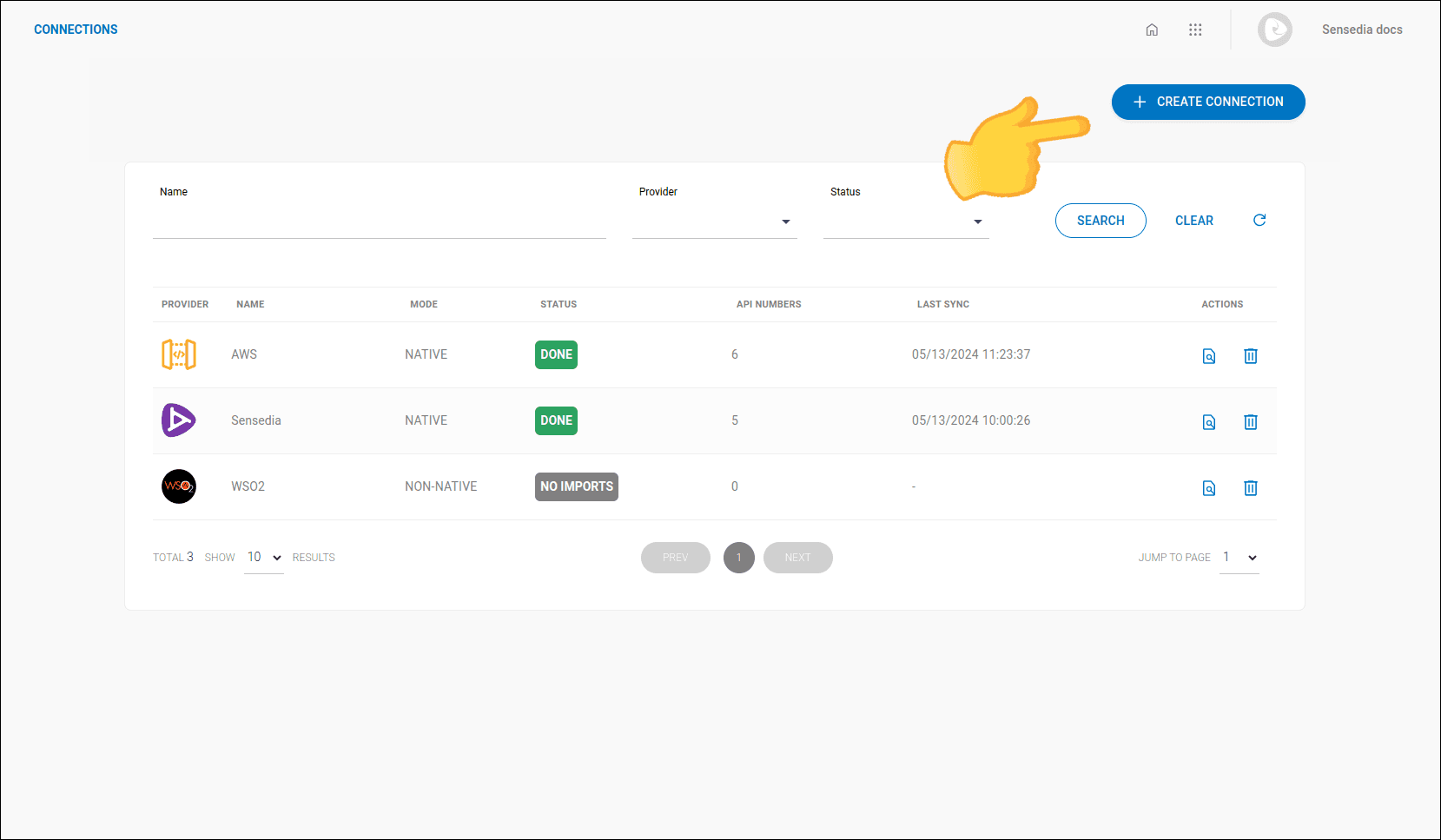
Access the Connections screen by clicking the left-side menu or the card on the home screen.

Step 2

Click the + CREATE CONNECTION button located at the top-right of the screen.

screenshot of the connections screen highlighting the create connection button

Step 3

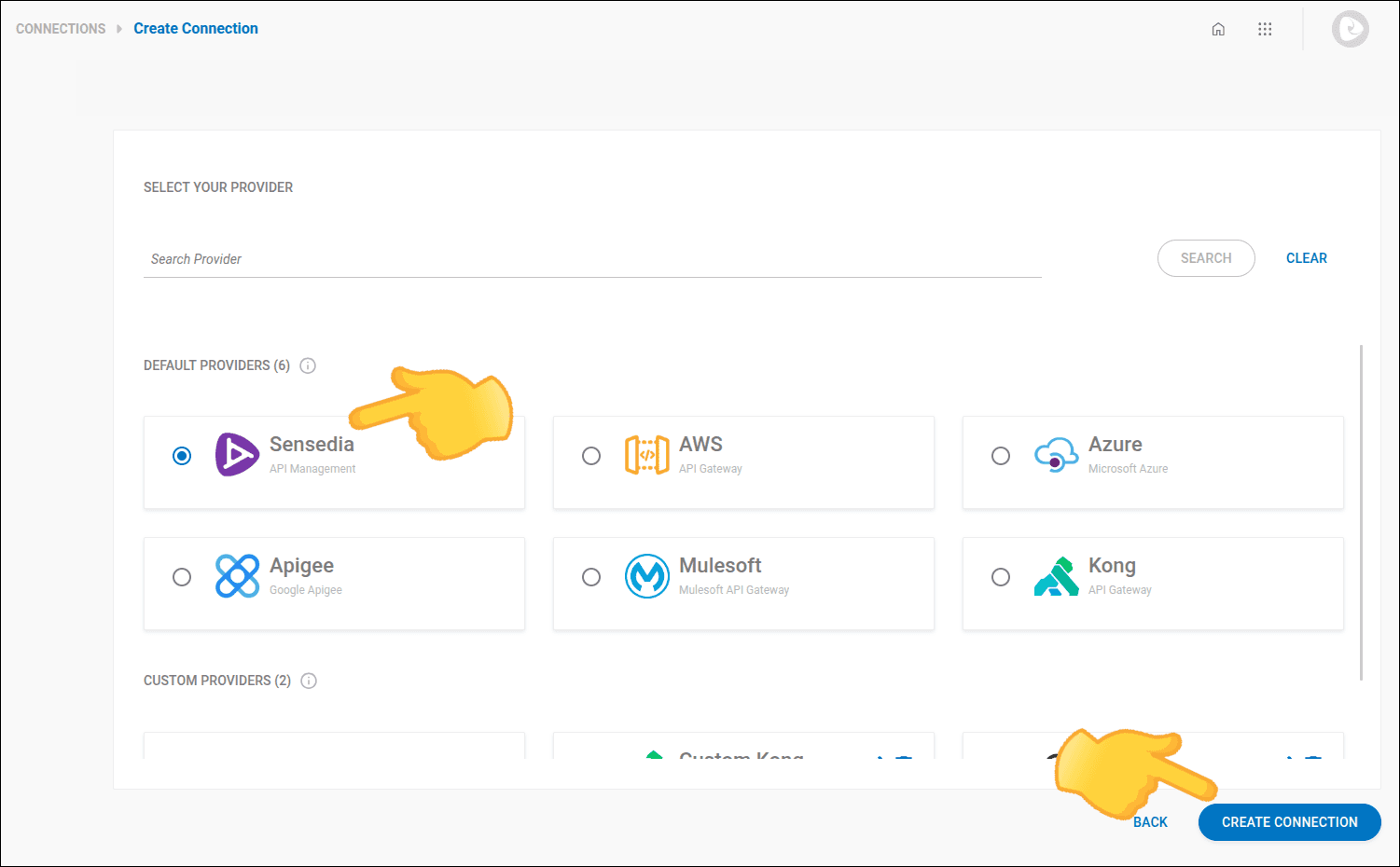
In step 1 - PROVIDER, type or select Sensedia API Management.

screenshot of the connection creation screen step 1

Step 4

Click NEXT.

Step 5

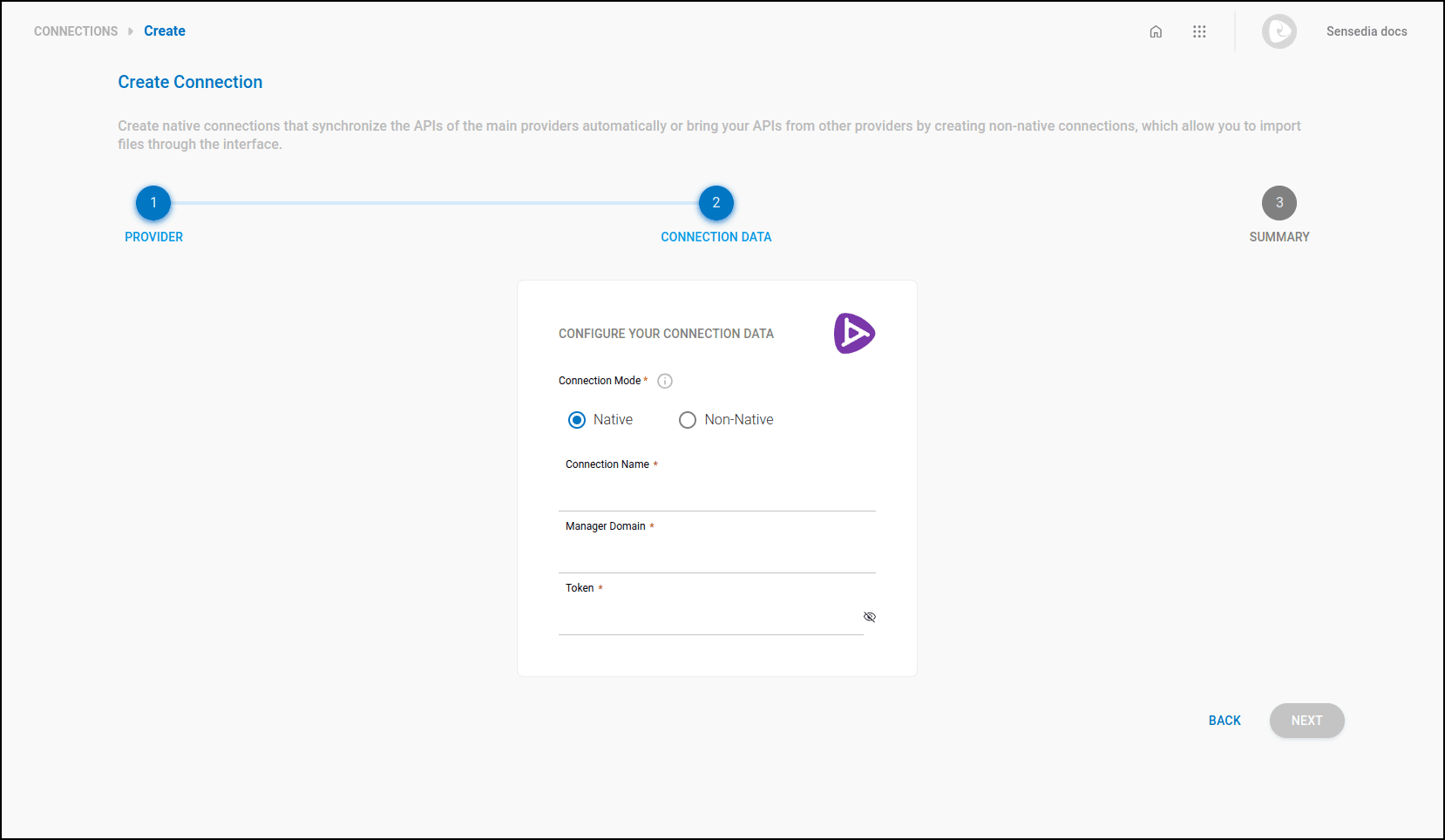
In step 2 - CONNECTION, provide the following information:

  • Connection mode: Select the connection mode: whether it is native (data updated directly with the provider) or non-native (manual upload).
NOTE

Synchronization in native connections depends on credentials being registered with the provider.

  • Connection name: Define a name for the connection.
  • Manager Release: Select a version.
    • Manager domain: Enter your Sensedia API Manager URL.
    • Token: Enter your access token.

screenshot of the connection creation screen step 2 for Sensedia gateways

Step 6

In the final step, review the information. If everything is correct, click SAVE.

How happy are you with this page?

We use cookies to enhance your experience on our site. By continuing to browse, you agree to our use of cookies.Learn more