- Home
- ...
- Developer Portal
- Developer Portal - Guides
The content created in Portal > Guides of the Portal Manager is displayed on the Guides pages of the Developer Portal.
It's possible to expose materials such as:
- blogs,
- user guides,
- tips,
- FAQ, among others.
To access, click Guides in the top right corner of the screen.
You must be logged in to access the content on the Guides pages.
The image below is for illustrative purposes only. Colors and logos may vary depending on the customization made in Portal > Appearance of the Portal Manager.

Accesses
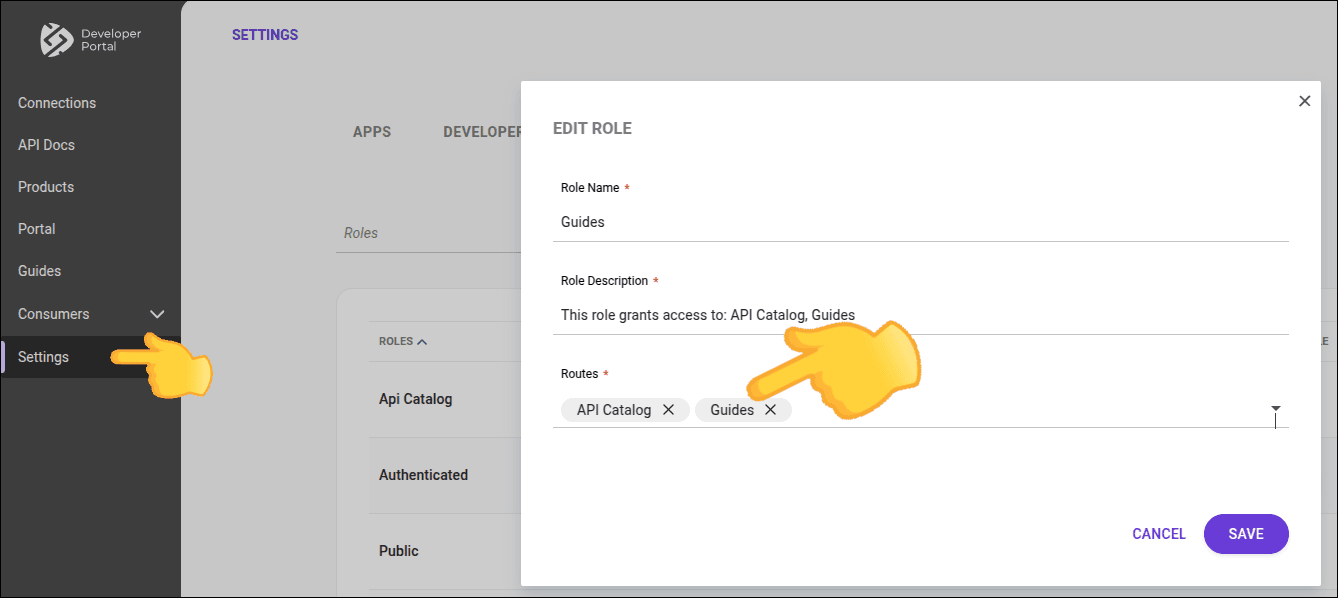
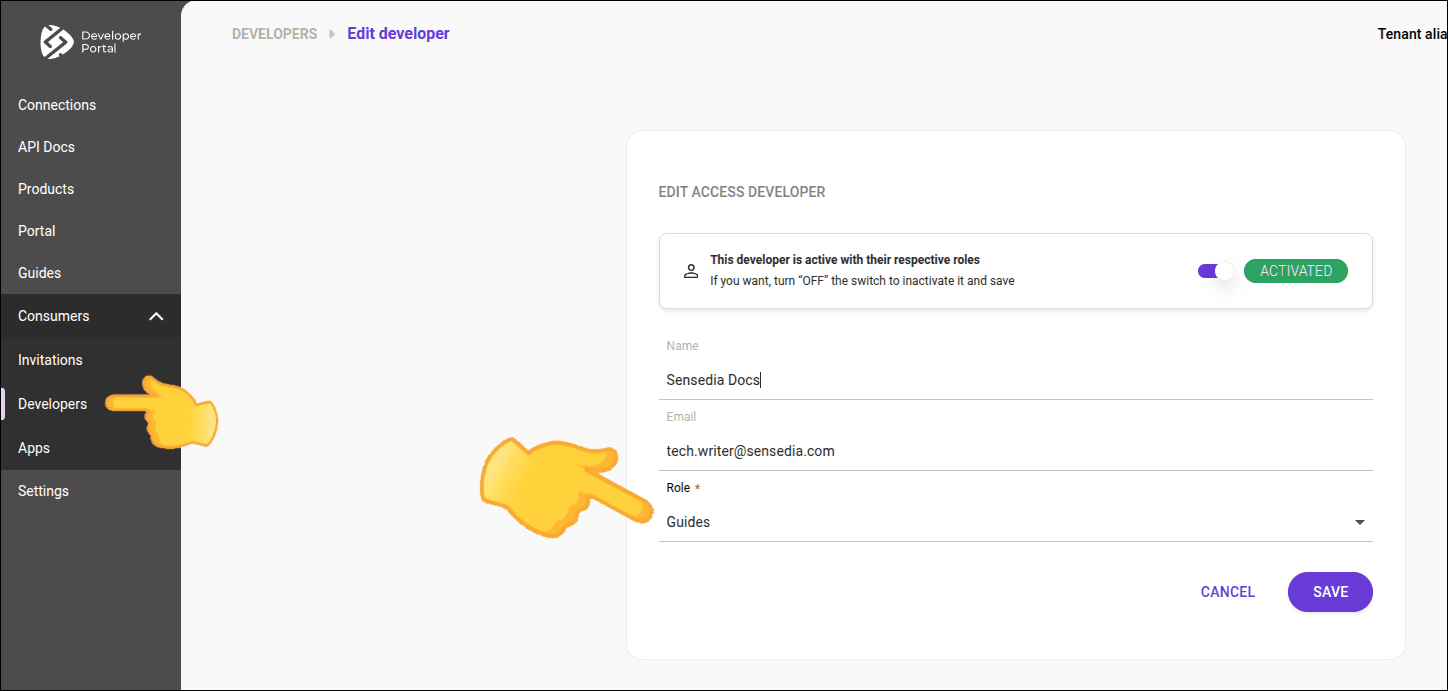
To access the Guides pages, it is necessary that it is defined in at least one of the routes of the user's role.
Administrator, if the user cannot access Guides, check:
-
If at least one role has Guides defined as one of its routes.
-
If the user has this role.
TIP
- See how to edit a role.
- Assign roles to a user.
- Publish a product so that it appears in the API catalog.
- Create a new product.