- Home
- Documentation
- Integrations
- Release Notes - Integrations
2026
Previous years
August 2026
Improvement
- Deletion of flows that have already been deployed
You can now delete integration flows that have already been deployed, as long as no deployment is active (all of them with the Undeployed status). The action is also more accessible: in addition to the action menu inside the flow, the Integration Flows screen now displays a trash icon on each flow card. To prevent accidental deletions, the confirmation modal requires you to type Delete. The deletion removes the flow, its resources, flow variables, releases, deployment records, and executions. See Deleting an Integration.
July 2026
New Feature
- Integration flow cloning
You can now clone an existing integration flow instead of rebuilding it from scratch. From the Integration Flows screen or from the flow's screen, use the Clone option to generate an exact copy — with components, resources, flow variables, and data source links — in a new tab. See Cloning an Integration.
June 2026
New Feature
- New connector: SAP RFC
You can now invoke SAP RFCs and BAPIs directly from your integration flows, using JSON for both input and output. The connector abstracts the complexity of the SAP binary protocol (JCo) and works with a new data source type dedicated to SAP. See the SAP RFC connector and the SAP RFC data source.
May 2026
New Feature
- Test execution console for REST Test Mode
You can now send test requests directly from the REST Test Mode console, entering Headers, Query Parameters, and Body (JSON/XML), without relying on external tools. The console displays the execution status, the Response Body, and the Status Code returned by the route. See Test mode for REST trigger flows.
April 2026
New Feature
- Test Mode for REST trigger flows
You can now use Test Mode on flows that start with a REST trigger. The platform provisions a temporary deployment and exposes a provisional URL, letting you validate the route logic, inspect logs, and follow executions in real time — without going through a full Release and Deploy cycle. See Test mode for REST trigger flows.
New Feature
- Database connection test
You can now test the database connection while creating a data source. This procedure ensures that the entered information is correct and that communication with the database is working properly. In addition, the test makes it easier to quickly identify and fix any connectivity issues.
March 2026
New Features
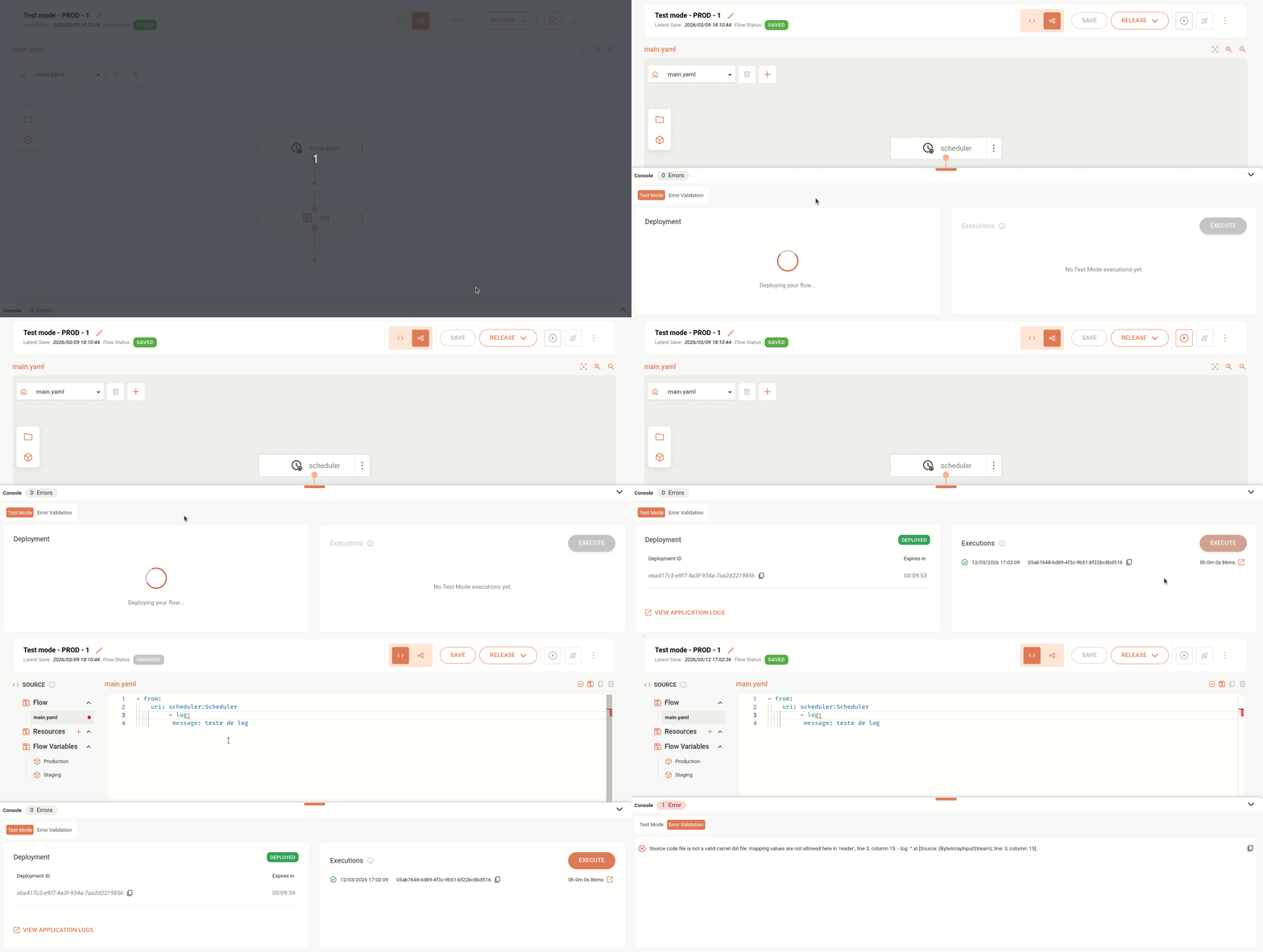
- History of the last 5 executions and technical logs in Test Mode
You can now view the history of the last 5 executions performed in test mode and their respective logs.
- Unified display of Test Mode and Error Validation in the console
Now, when you save an integration or use the Full Validation feature (the "check" button in the upper right corner of the code editor, on the Source Code tab), the detected structure and syntax errors are displayed in the console, on the Error Validation tab, next to the Test Mode tab.
New Feature
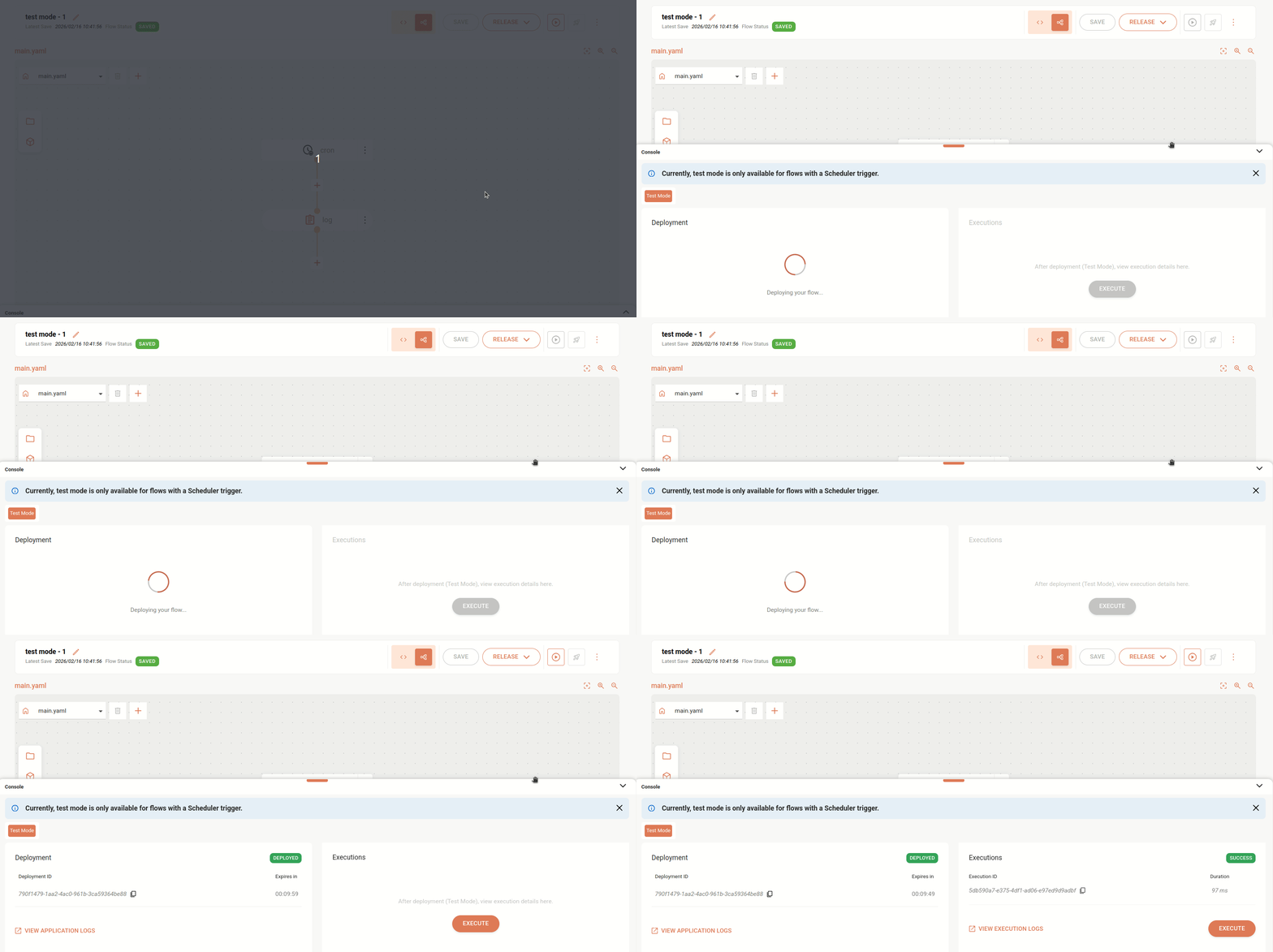
- Running integrations in test mode (Test Mode).
You can now run integrations in test mode and make adjustments before deployment. This feature lets you validate flows in real time, identify errors, check data, and optimize performance quickly during development, ensuring more security and quality in the process.
Test Mode is available in the Console, located at the bottom of the Source screen, in the Diagram view mode. For details, see Test Mode.
IMPORTANTCurrently, test mode is available only for flows with Scheduling and Timing triggers: Cron, Quartz, Scheduler, and Timer.
January 2026
Improvement
- Expanded error detection in integrations
Integrations now detects and notifies more types of errors during integration deployment, such as the incorrect use of the uri aws-s3://bucketNameOrArn instead of aws2-s3://bucketNameOrArn (correct), increasing the visibility of failures and making it easier to fix problems.
New Feature
- New component released
The Validator XSD component is now available for use in your integrations, allowing you to validate the structure and compliance of XML data against XSD contracts. With it, messages that do not meet the defined standard are automatically blocked, preventing failures and ensuring greater security when sending information to target systems.
For more information, see the Validator XSD page.
New Feature
- New component released
You can now use the AWS Simple Email Service (SES) component in your integrations, which enables sending emails directly in integration flows, leveraging Amazon's scalable and managed infrastructure.
For more information, see the AWS SES page.
Improvement
- Automatic undeploy before a new deployment of an integration
Before deploying a new version of an integration, the system will automatically undeploy the previous version, if one exists. This strategy was already applied in some specific scenarios, such as when updating integrations with a REST trigger to Scheduler, and is now consistently adopted in all deployment scenarios.
Fix
- We fixed an issue where, when performing a new deployment of an integration, the previous version remained active for some time, preventing the changes from being applied immediately.